

How to Reduce Cart Abandonment: Proven Ecommerce Strategies
Shopping cart abandonment is a constant leak in ecommerce revenue. Across industries, the average cart abandonment rate sits around 70.22%, which means most shoppers who add items to their cart leave before buying.
The reasons vary. Some shoppers use the cart to compare products, save items for later, or see how a potential purchase feels before committing. Others may get distracted, decide to keep browsing, or wait for a discount. Many ecommerce teams put most of their energy into getting shoppers onto the site and making products look appealing. But the cart stage is where interest has to turn into action, and that moment is often treated like a passive holding area instead of a key part of the buying journey.
Reducing cart abandonment is one of the most direct ways to lift conversions because it focuses on shoppers who have already shown interest. More importantly, it helps turn the cart from a place where purchases stall into a smoother step between browsing and buying.
In this guide, we’ll explore practical ways to reduce shopping cart abandonment, identify common friction points, and share proven cart abandonment solutions that help ecommerce businesses improve the customer experience and increase completed purchases.
- Unexpected Costs Cause Last-Minute Drop-Offs
- Poor Product Information Creates Purchase Uncertainty
- Complex Checkout Processes Increase Friction
- Lack of Trust Prevents Users From Completing Purchases
- Mobile UX Issues Increase Cart Abandonment
- Shoppers Often Need More Time and Reassurance
- Many Businesses Fail to Use Behavioral Data
- Recovery Strategies Help Bring Customers Back
- Personalization Can Improve Conversion Rates
- A Better Cart Experience Starts Before the Cart
Unexpected Costs Cause Last-Minute Drop-Offs
When costs are not clearly outlined at the beginning, the cart can start to feel misleading, even if the charges are legitimate. The result is frustration, hesitation, and a higher chance that the shopper abandons the purchase instead of continuing.
These added costs often include:
- Taxes
- Service fees
- Shipping costs
- Handling fees
- Delivery surcharges
By the time those costs appear, the shopper may already be questioning the order. Being upfront about expected charges helps preserve purchase intent before price hesitation takes over.
How to Reduce Cart Abandonment Caused by Unexpected Costs
Unexpected costs are easier to accept when they are shown early and explained clearly. It’s not always the fee itself driving buyers away, it is the feeling that the price changed after expectations were set.
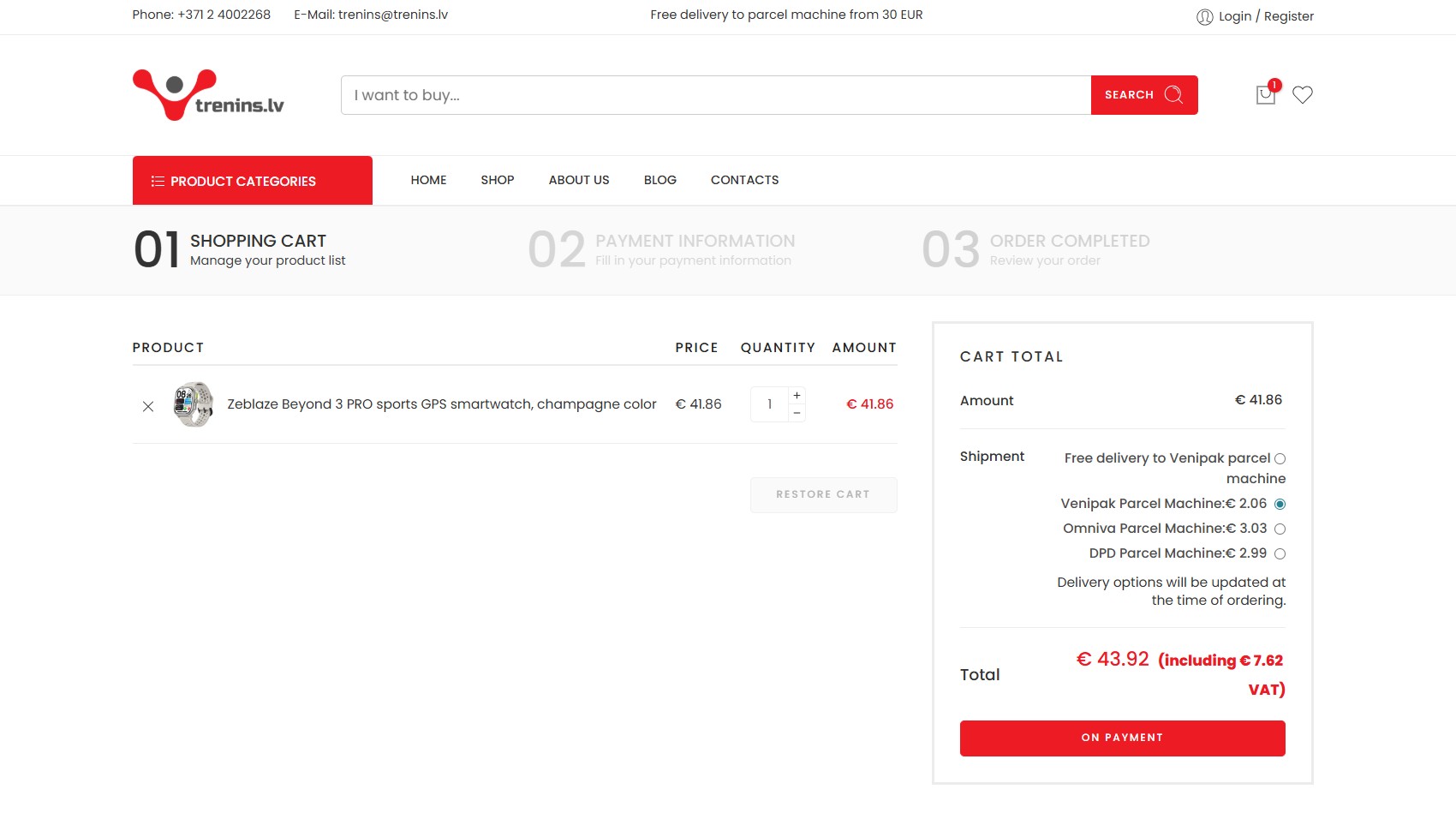
To reduce cart abandonment caused by pricing surprises, ecommerce businesses focus on two areas.
Make shipping and added costs clear earlier:
- Show estimated taxes, fees, and shipping costs as early as possible
- Separate the product price, delivery cost, taxes, and any extra charges in the cart summary
- Add a shipping or delivery calculator to product pages or the cart
- Incorporate free shipping thresholds or cart-based discounts
Use incentives to reduce price hesitation:
- Use progress messages, such as “$10 more to unlock free shipping”
- Give first-time buyers a clear incentive, such as 10% off their first order
- Incorporate free shipping thresholds or cart-based discounts
- Use cart abandonment emails with limited-time discounts
Return policies should also be highlighted in an obvious way. Price hesitation is often tied to value hesitation. If a shopper is not fully sure the product is worth the total cost, a clear return policy gives them a safety net. It tells them they are not stuck if the product arrives and does not match their expectations.
To learn more about checkout-specific friction points, explore our guide on checkout abandonment.
Checkout Abandonment: Common Reasons and Solutions
Getting shoppers to checkout is a win. They found a product, added it to their cart, and started taking the steps toward…
Poor Product Information Creates Purchase Uncertainty
Shoppers often abandon carts because they still have unanswered questions about the product. At this point, they may like the item enough to save it, but not enough to commit without more reassurance.
That uncertainty is commonly caused by:
- Unclear or inconsistent product details
- Thin descriptions that do not explain fit, materials, sizing, features, or use cases
- Missing or low-quality images and videos
- Too few reviews, weak reviews, or visible negative feedback
At the cart stage, missing details can cause the shopper to leave to compare prices, check reviews elsewhere, or simply postpone the purchase until they feel more certain.
How to Reduce Shopping Cart Abandonment Caused by Information Gaps
Reducing information-related cart abandonment starts before the shopper reaches the cart. Ecommerce businesses should think carefully about what their customers care about and what they need to know before buying. That might include sizing, materials, compatibility, ingredients, specs, care instructions, or real product photos. The goal isn’t total information overload, but to ensure their most pressing questions are answered.
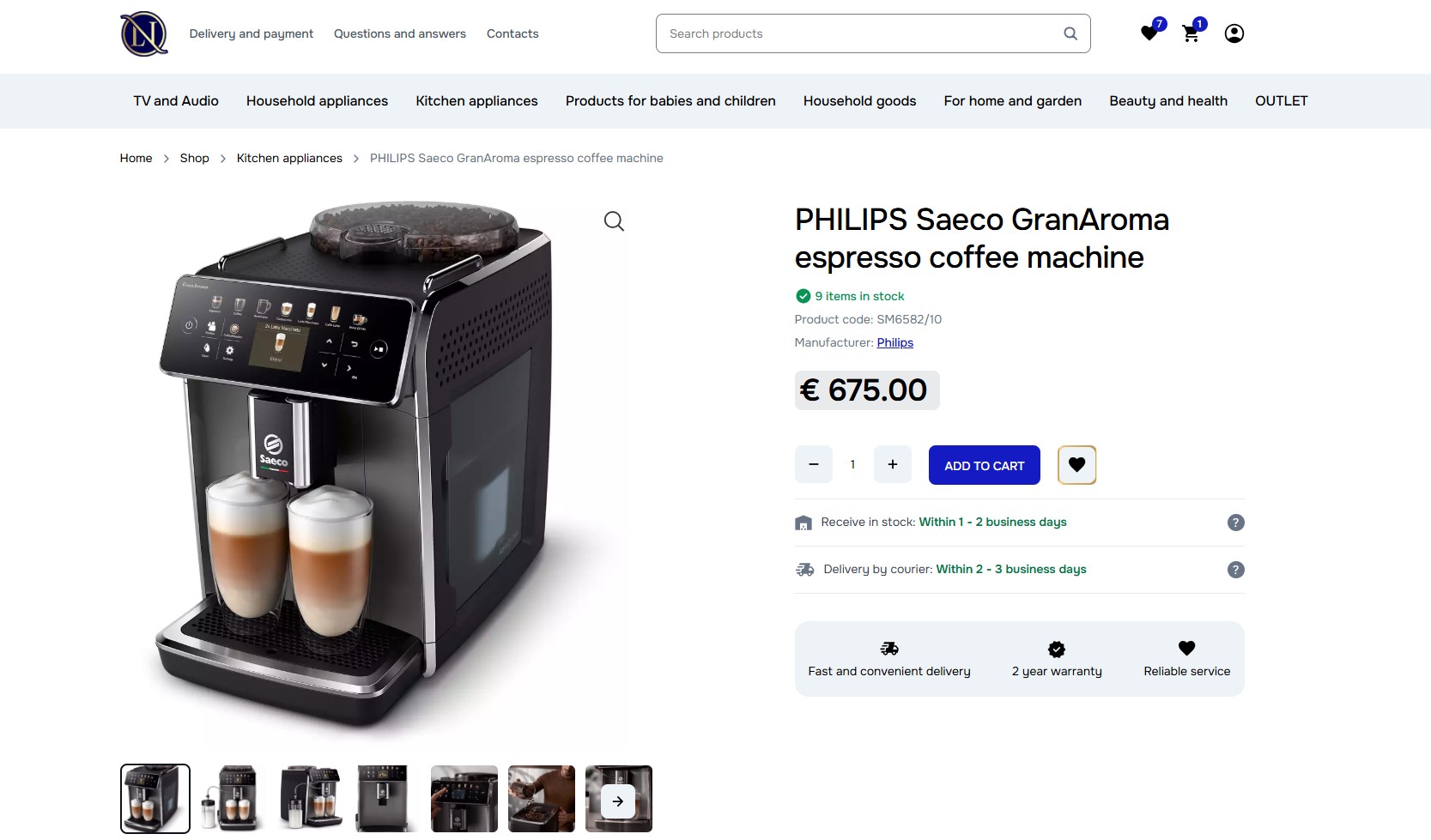
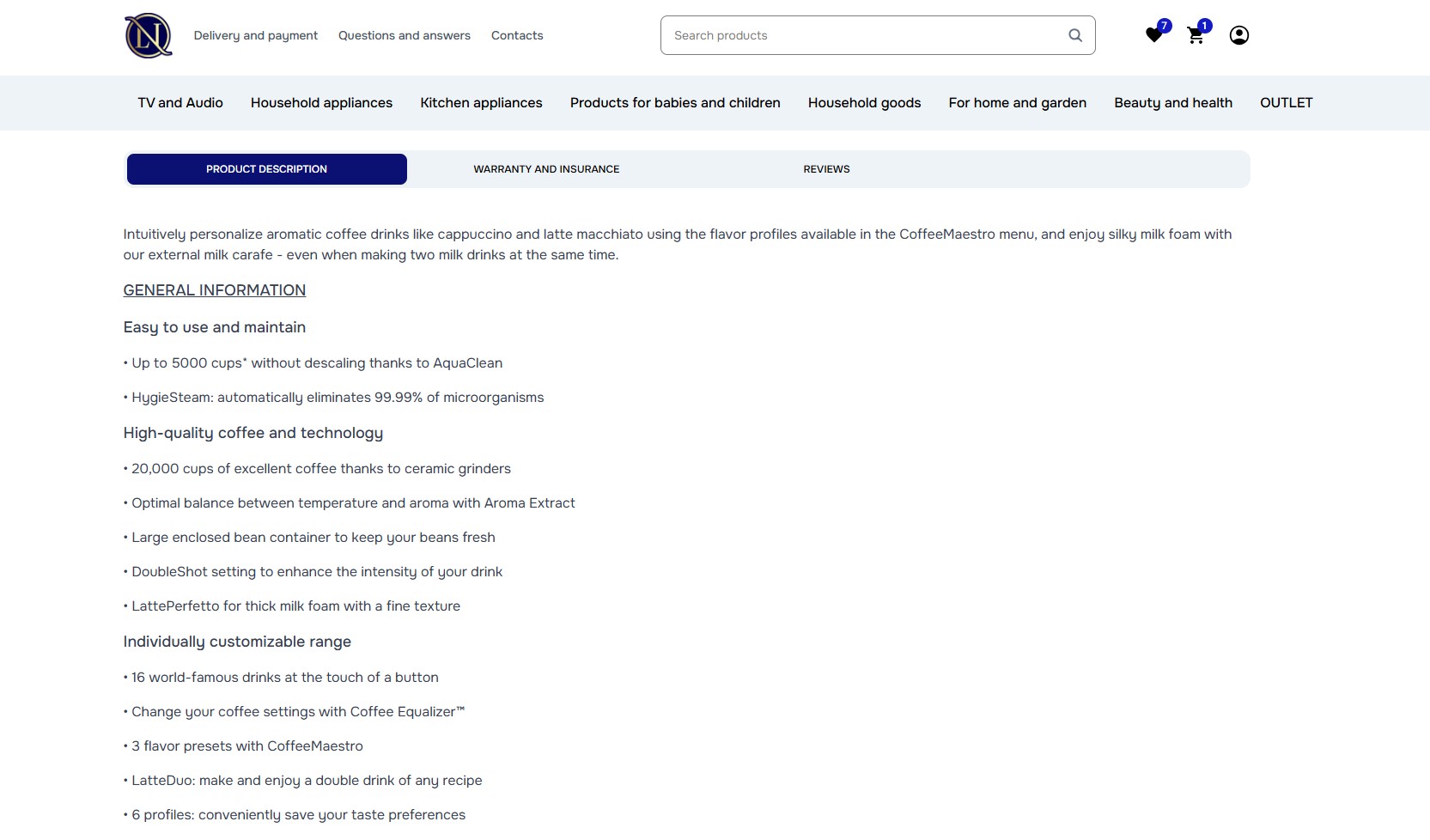
Some effective cart abandonment solutions include:
- Using multiple high-quality images that show scale, details, angles, texture, or real-life use
- Adding detailed product descriptions that go beyond basic features
- Highlighting the most important specifications and benefits
- Providing sizing guides, fit notes, compatibility details, or ingredient/material information where relevant
- Displaying customer reviews and ratings where shoppers can easily see them
- Answering common questions directly on product pages
Many ecommerce stores spend heavily on checkout optimization while giving less attention to product page quality. But shoppers often abandon carts earlier in the decision-making process because the product information has not given them enough confidence to keep moving toward purchase. Behind the scenes, keeping WooCommerce order tags organized also helps your team track which abandoned orders need follow-up and which have already been recovered.
Complex Checkout Processes Increase Friction
A complicated checkout process can quickly turn buying intent into frustration. Once shoppers are ready to pay, every extra step or unclear instruction gives them another chance to quit and leave the site.
Common friction points include:
- Too many checkout steps or form fields
- Forced account registration before purchase
- A poor mobile checkout experience
- Limited payment options
- Slow-loading pages or technical errors
- Unclear error messages when something goes wrong
Improving these friction points can meaningfully reduce abandonment by making the path to purchase shorter and easier. This is especially important for high-intent shoppers who are ready to buy but do not want to fight through unnecessary forms, slow pages, or extra account requirements.
At this stage, speed and clarity matter more than collecting extra customer data.
How to Reduce Checkout Abandonment Caused by Friction
Checkout optimization is about removing anything that makes buying feel slower, harder, or less trustworthy than it needs to be. New customers are much less likely to tolerate friction because they do not yet have an established relationship with the brand.
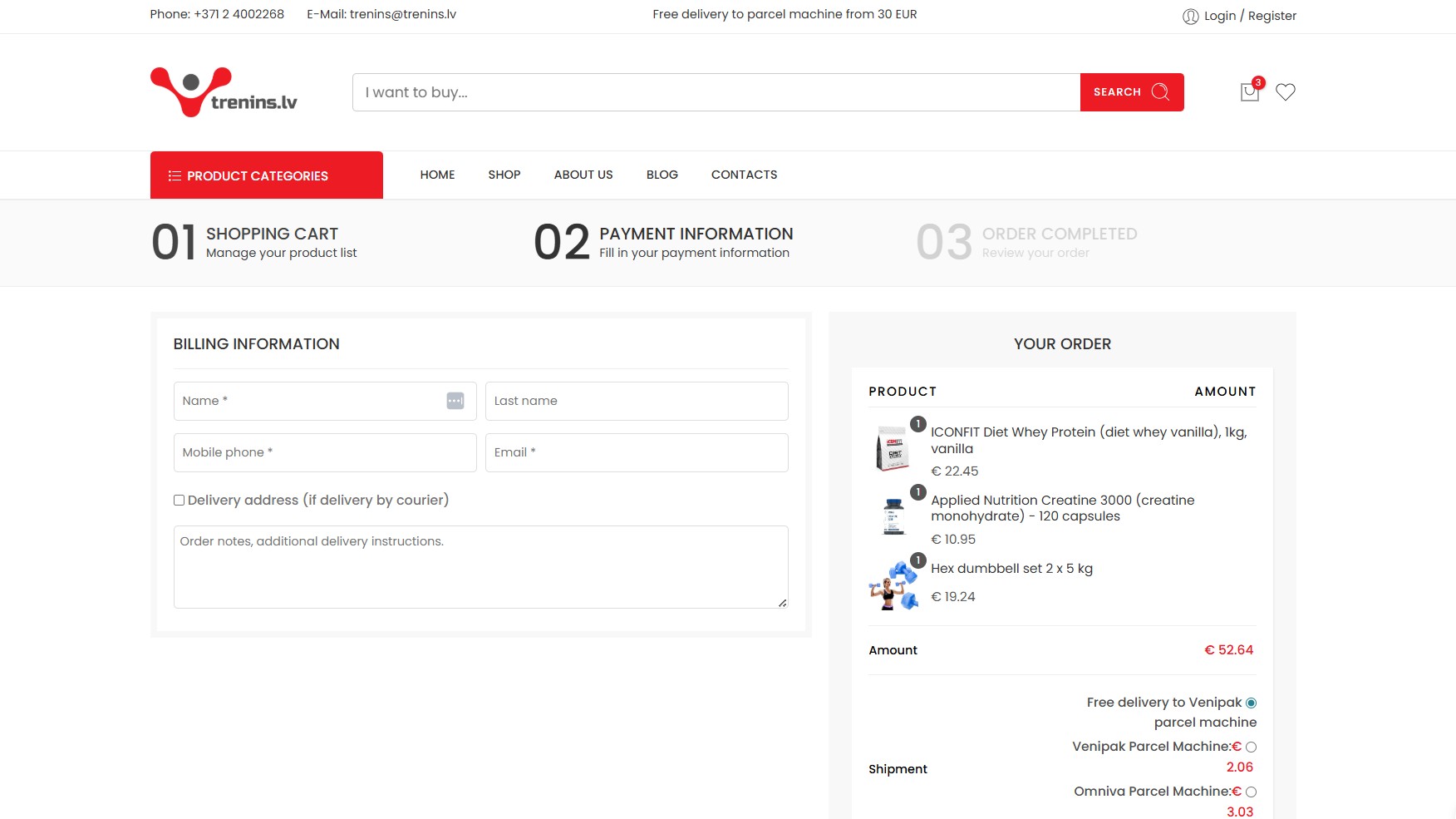
Some proven ways to reduce checkout abandonment include:
- Reducing the number of checkout steps
- Removing unnecessary form fields
- Making it easy to move between checkout steps
- Adding progress indicators so shoppers know where they are in the process
- Enabling guest checkout
- Using autofill and inline validation
- Supporting multiple payment methods
- Offering one-click payment options
- Improving checkout performance on mobile
- A/B testing checkout flows regularly
At checkout, shoppers are no longer exploring. They are trying to complete a specific task. The checkout flow should support that task with as few interruptions as possible.
Pro Tip:
One of the most common issues we encounter is mandatory account creation before checkout. A better approach is to offer guest checkout while clearly explaining the benefits of creating an account, such as faster future purchases or easier order tracking. That way, the business can still encourage account creation without interrupting the purchase.
For a deeper look at checkout-specific friction points, read our guide on checkout abandonment.
Lack of Trust Prevents Users From Completing Purchases
Trust problems can stop a purchase even when the shopper likes the product. First-time buyers and customers placing higher-value orders tend to look more closely at security signals, payment options, return terms, reviews, and basic signs that the business is legitimate.
Research suggests that trust-related barriers contribute to around 19% of checkout drop-offs, making this a significant source of lost revenue rather than a small usability issue.
Common trust-related issues include:
- Low confidence in the brand or website
- Limited ways to contact the business
- Unclear return policies
- Inconsistent pricing information
- Missing security indicators, such as trusted logos or badges
- Concerns about payment security
- Unfamiliar payment methods
- Limited or negative reviews
Trust signals help reduce that perceived risk by showing shoppers what will happen after they pay, who they can contact if something goes wrong, and whether other customers have had a good experience.
How to Reduce Cart Abandonment Caused by Trust Concerns
Trust is a major part of online buying confidence. Shoppers need to see that the site is credible, the payment process is secure, and the business will be reachable if they need help after the order.
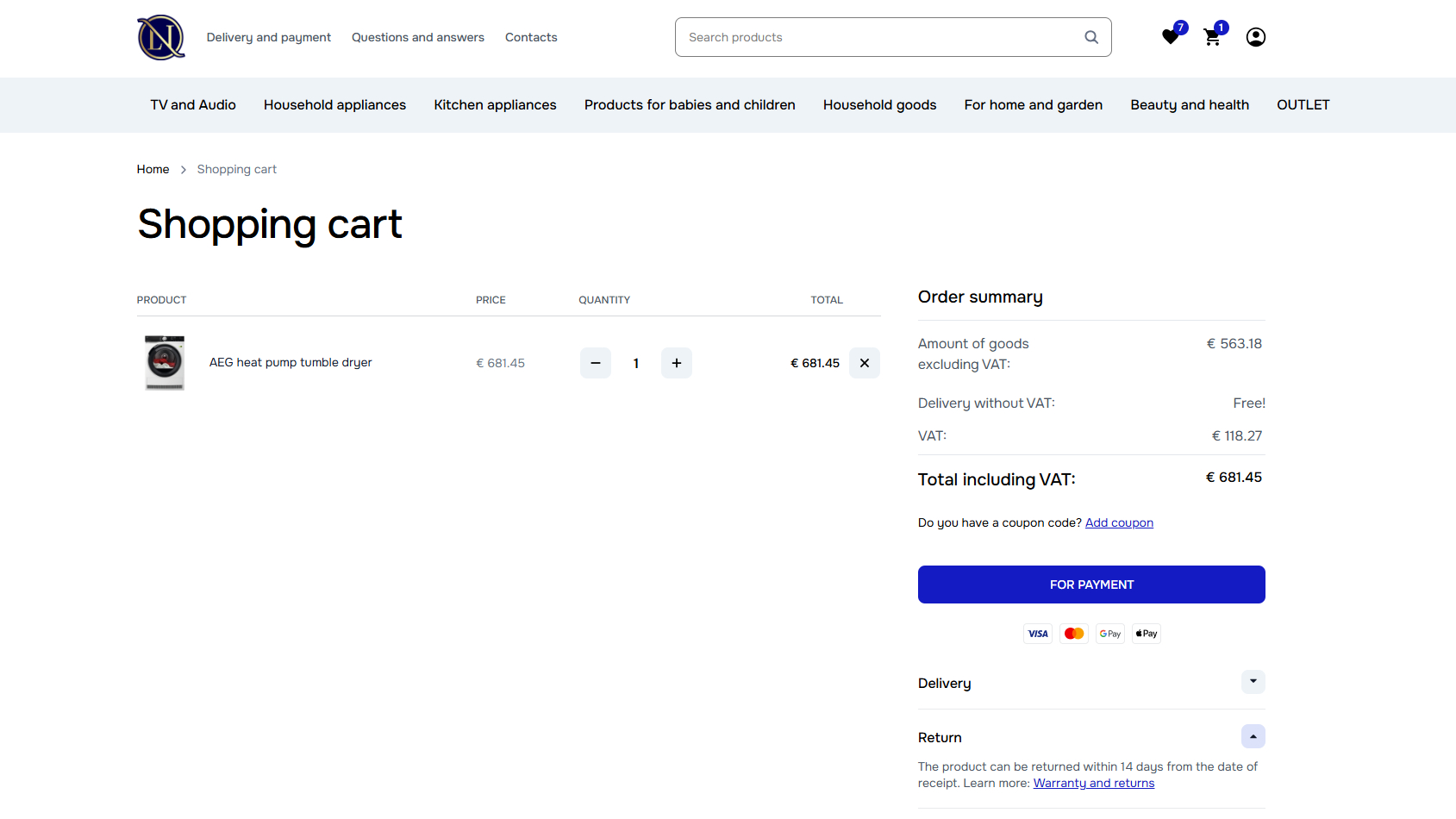
Ways to make the purchase feel safer include:
- Displaying secure payment indicators and clear money-back guarantees
- Showing recognizable payment methods near the cart and checkout
- Making return and shipping policies easy to find before payment
- Including customer reviews, ratings, and testimonials in relevant places
- Providing visible contact options, such as live chat, email, or phone support
- Keeping pricing, delivery details, and product information consistent across pages
- Avoiding redirects or payment flows that feel unexpected or disconnected from the site
In our experience, these strategies work best when they appear throughout the cart and checkout experience, not isolated to the payment page. That visibility can be enough to keep small doubts from turning into abandoned purchases.
Mobile UX Issues Increase Cart Abandonment
Mobile shopping leaves very little room for friction. A cart that feels manageable on a desktop can become annoying on a smaller screen, especially when pages load slowly, buttons are hard to tap, or forms take too much effort to complete. For these reasons, mobile users tend to abandon carts more frequently than desktop users.
Common mobile UX issues include:
- Checkout pages that do not adapt properly to smaller screens
- Slow-loading product, cart, or checkout pages
- Form fields that are too small or difficult to complete
- Checkout flows with too many steps
- Payment options that are hard to use on mobile
Mobile shoppers are often browsing with less patience and more distractions, so the cart experience needs to be fast, clear, and easy to use with one hand. If the mobile journey feels clunky, these shoppers are highly likely to move on.
How to Reduce Shopping Cart Abandonment on Mobile
Reducing mobile cart abandonment starts with designing for the way people actually shop on their phones – quickly, often one-handed, and with less patience for slow or awkward steps. The goal is to make the path from cart to purchase feel natural on a small screen, not like a desktop checkout squeezed into mobile.
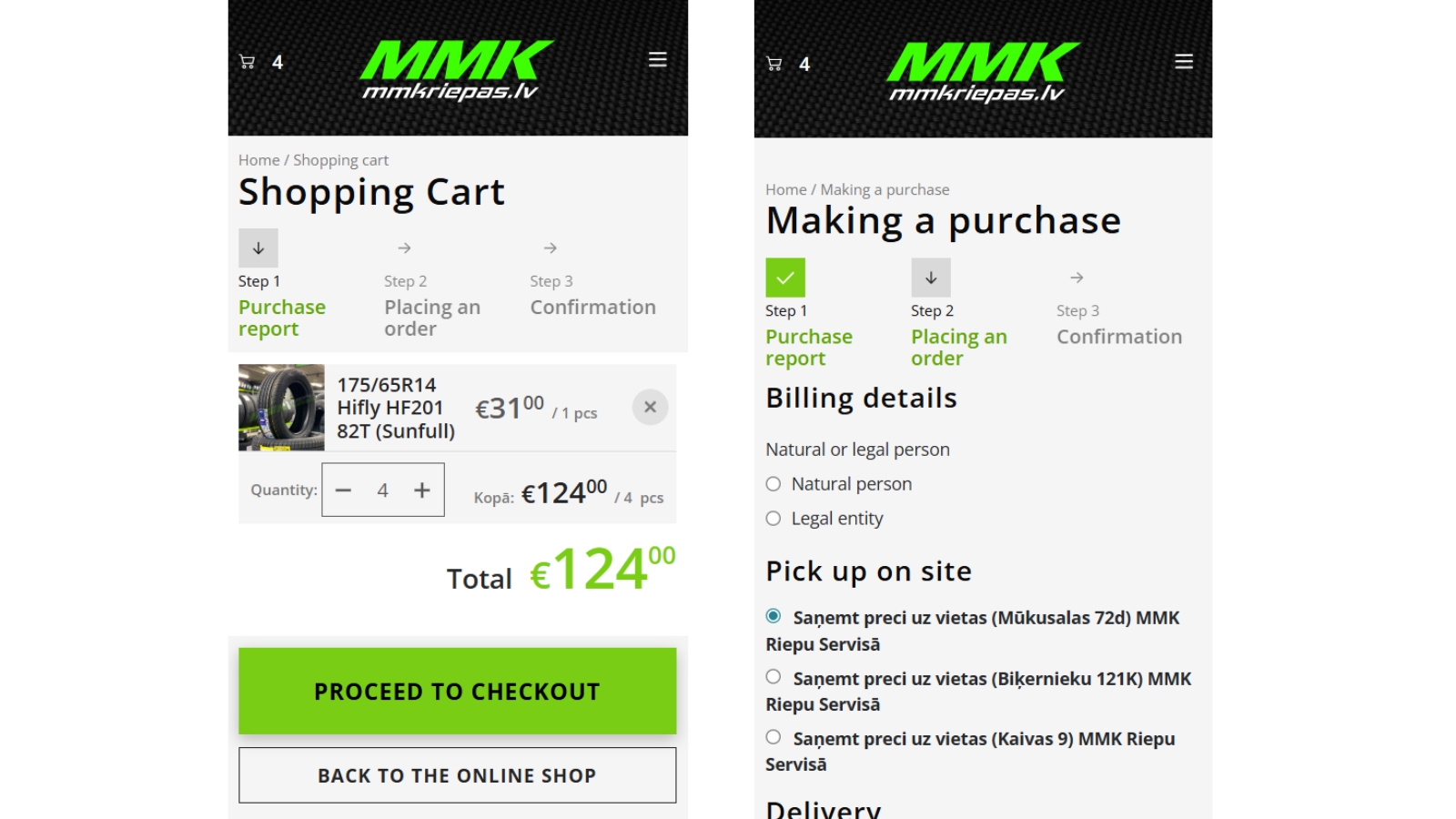
Some effective ways to reduce shopping cart abandonment on mobile include:
- Making the cart and checkout fully responsive across screen sizes and orientations
- Improving page speed and reducing load delays
- Reducing typing wherever possible
- Optimizing forms for touch, autofill, and mobile keyboards
- Offering mobile-friendly payment options, such as Apple Pay, Google Pay, PayPal, or saved cards
- Making product images easy to zoom, swipe through, and close
Pro Tip:
We find that many ecommerce stores still build checkout around desktop behavior first, then adjust it for mobile later. That approach can miss how differently mobile users behave. Small improvements, such as faster loading, clearer CTAs, easier form entry, and better payment options, can have an outsized impact on conversion rates because mobile shoppers are much less tolerant of friction.
Learn more about behavioral friction patterns in our guide to cart abandonment behavior signals in ecommerce.
Cart Abandonment Behavior Signals in Ecommerce
Before shoppers abandon a cart, they often leave a trail of hesitation. They may slow down, revisit details, adjust the cart, or…
Shoppers Often Need More Time and Reassurance
Some cart abandonments are less about site performance and more about timing, confidence, and perceived value. Emotional triggers play a role here: doubt, risk sensitivity, price anxiety, fear of choosing the wrong product, or the hope that a better offer might appear. Understanding those triggers helps ecommerce businesses create a smoother experience that addresses hesitation.
These behaviors can signal that the shopper is still working through the decision:
- Repeated product comparisons before checkout
- Multi-device browsing during the same purchase journey
- Returning to the cart multiple times without progressing
- Removing and re-adding products
- Frequent cart editing and quantity changes
- Coupon-code searching before payment
- Delaying the purchase despite reaching the final step
These actions do not always mean the shopper is gone for good. Timely reminders, clearer reassurance, stronger product proof, or a well-placed incentive can help bring the shopper back when they are closer to making a decision.
How to Reduce Cart Abandonment Caused by Hesitation
Reducing cart abandonment caused by hesitation is partly about psychology. The right recovery strategy keeps them engaged without making the experience feel pushy or disruptive.
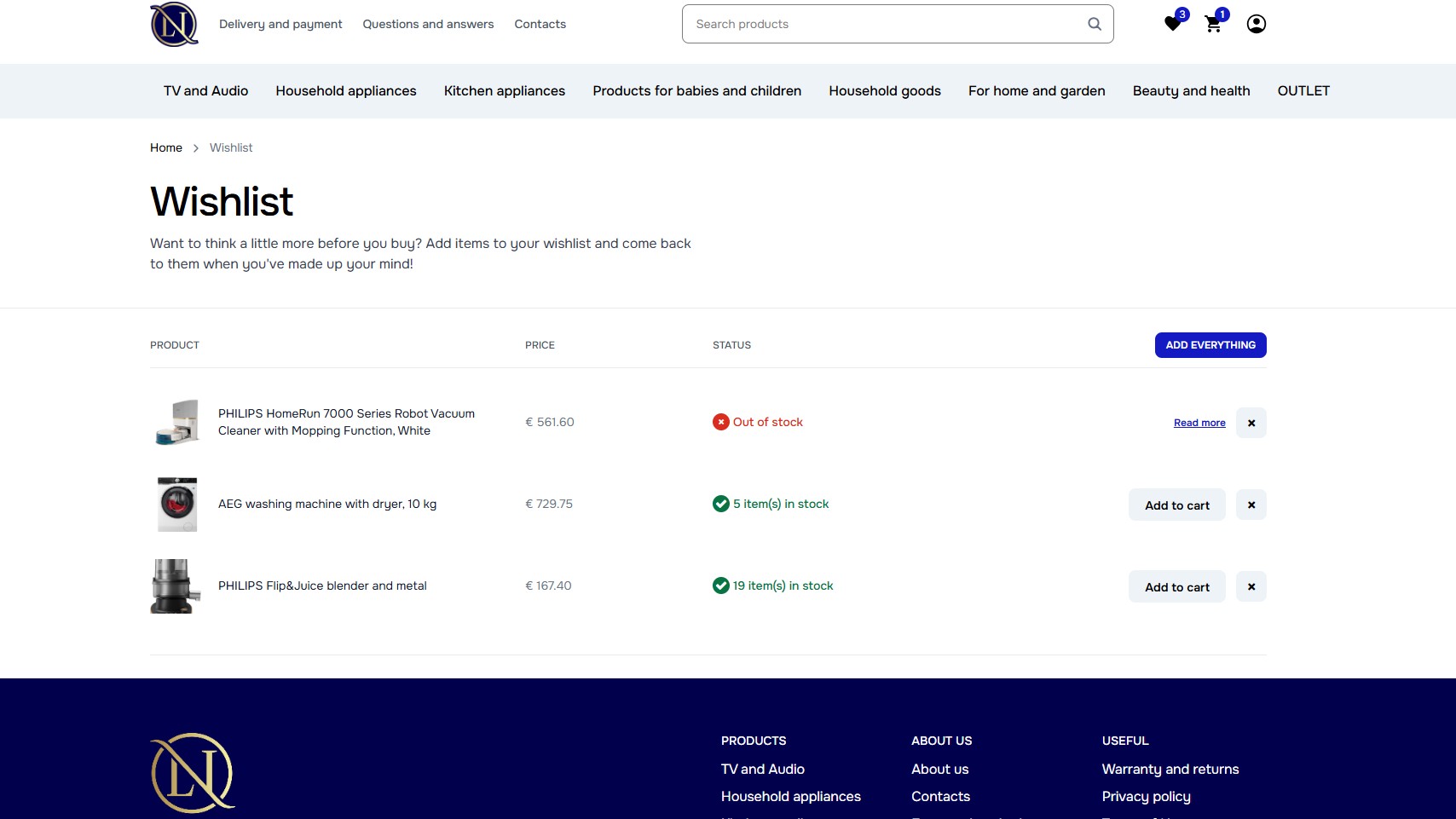
Ways to support shoppers who are still deciding include:
- Sending abandoned cart reminder emails
- Adding exit-intent popups
- Using retargeting campaigns to bring shoppers back
- Offering wishlist or save-cart functionality
- Recommending products based on the shopper’s browsing or cart activity
- Personalizing follow-up communication based on user behavior
A better shopping experience does more than help shoppers complete one order. It gives them fewer reasons to leave, and more reasons to come back later.
In our experience, an abandoned cart is not always a lost sale. The behavior around the cart can show whether someone is unsure about the product, comparing other options, waiting for the right moment, or looking for a better offer. Reading those signals helps ecommerce businesses build recovery messages, recommendations, and follow-ups that feel more relevant to the shopper’s actual reason for pausing.
Explore common hesitation patterns in our guide to cart abandonment behavior signals in ecommerce.
Many Businesses Fail to Use Behavioral Data
Cart abandonment is much harder to fix when ecommerce teams only look at the final rate. A high abandonment rate shows there is a problem, but it does not explain where shoppers are getting stuck or what is pushing them away.
Many ecommerce stores track overall sales performance but lack visibility into:
- Where users abandon the process
- Which checkout steps create friction
- How mobile and desktop behavior differs
- How user behavior is influenced by geographic location or traffic source
- Which products or pages contribute to drop-offs
- How users interact with carts and checkout flows
That missing context can lead to the wrong fixes. A store might redesign checkout when the real issue is mobile product pages, or offer discounts when shoppers are actually leaving because shipping costs appear too late. Behavioral data helps separate the symptom from the cause.
How to Reduce Cart Abandonment with Data and Analytics
One of the most useful ways to decrease cart abandonment rates is to look at what shoppers actually do on your site before they leave. Analytics can show which pages hold attention, where people drop off, and whether the problem is tied to a specific product, device, traffic source, or checkout step.
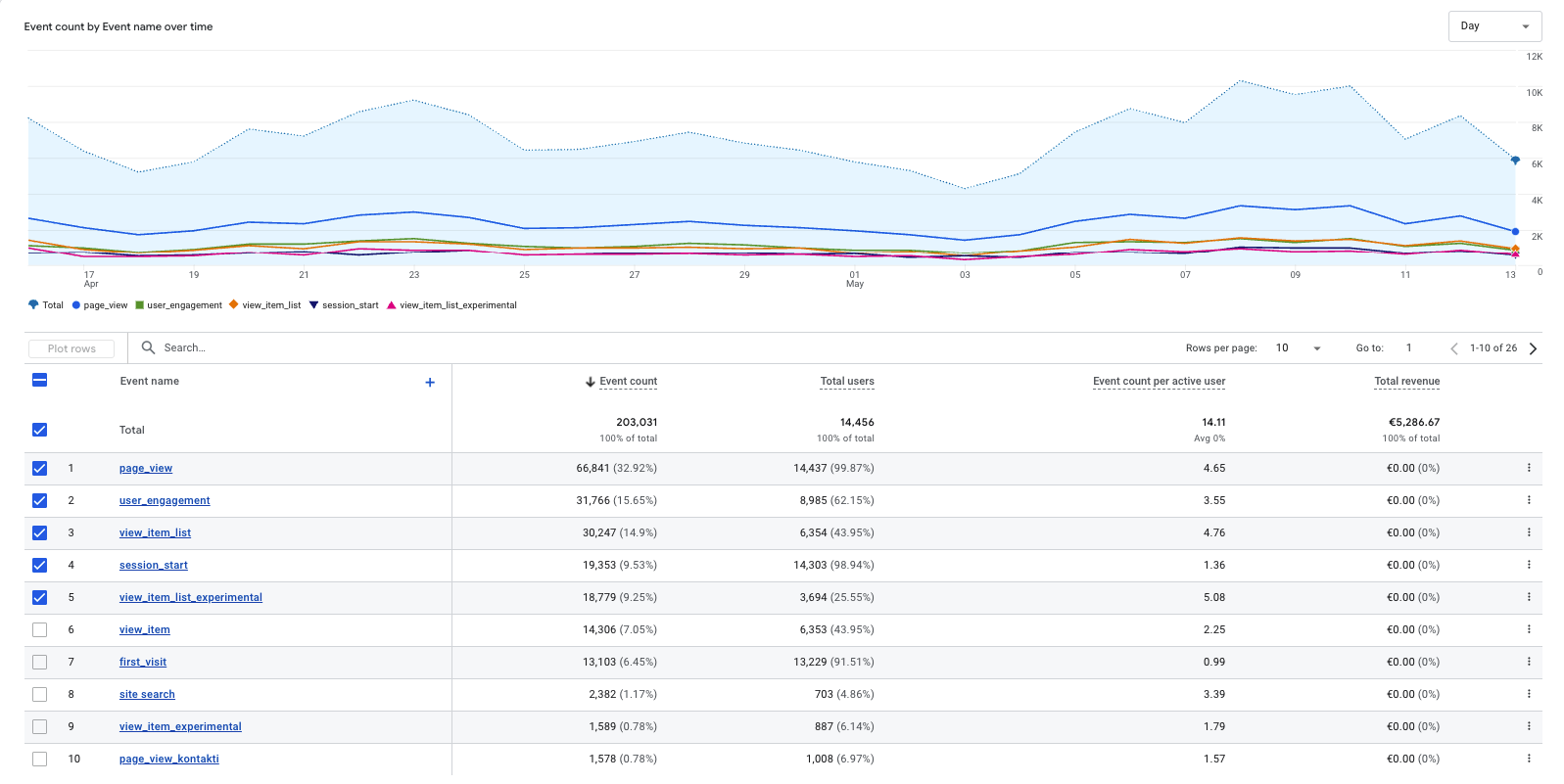
For example, a product page might get strong traffic but very few completed purchases. That could point to missing product information, pricing hesitation, weak reviews, poor mobile usability, or a mismatch between the ad promise and the page itself. Once you can see those patterns, you can make better decisions about product recommendations, pricing, reminders, incentives, and UX changes.
Methods that can reveal where shoppers lose momentum include:
- Conversion funnel analysis
- Checkout steps tracking
- Session recordings
- Heatmaps
- Device, traffic source, and geographic location segmentation
- A/B testing
These methods help turn abandonment from a vague performance issue into something you can actually investigate. Once you know where shoppers lose momentum, it becomes much easier to decide whether the fix is UX, pricing, product content, technical performance, or follow-up messaging.
Pro Tip:
In our experience, many ecommerce websites either do not have analytics configured properly or only track broad metrics like sessions and purchases. Tools such as Google Analytics can show far more, including user journeys, checkout behavior, and abandonment patterns. Even small tracking improvements can uncover usability issues that are hurting conversions.
Learn more about measuring abandonment performance in our guide to cart abandonment rate.
Cart Abandonment Rate: What It Means and How to Improve It
Cart abandonment rate measures a very specific kind of lost momentum – shoppers who put something in the cart but do not…
Do you know what is stopping shoppers from completing their orders? Explore our Web Analytics services to find the friction points, behavior patterns, and conversion issues behind cart abandonment.

Recovery Strategies Help Bring Customers Back
Even a well-designed shopping experience will not prevent every abandoned cart, but you do not have to write these shoppers off once they leave the site. Many abandoned carts can still be recovered with the right follow-up.
Recovery tactics such as reminders, personalized offers, and retargeting campaigns can help ecommerce businesses recover sales that might otherwise be lost. The goal is to reconnect with shoppers while the product is still relevant and give them a clear reason to return.
How to Recover Abandoned Carts Effectively
The most useful recovery tactics give shoppers a simple path back to the cart.
Effective ways to re-engage cart abandoners include:
- Abandoned cart emails
- SMS reminders
- Push notifications
- Exit-intent popups
- Retargeting ads
The best recovery strategies feel timely and relevant, not random. A useful reminder, a saved cart, or a well-matched offer can bring shoppers back without making the interaction feel aggressive.
For a deeper look at recovery tactics, read our full guide to abandoned cart recovery.
Abandoned Cart Recovery: How to Recover Lost Ecommerce Sales
Shopping cart abandonment is a direct revenue problem for ecommerce stores. When shoppers add products to their cart but leave before buying,…
Abandoned Cart Emails Remain One of the Most Effective Recovery Methods
Abandoned cart emails work so well because they reach shoppers after they have already shown interest. A timely reminder can bring the product back into view and give the shopper an easy route back to the cart.
Strong abandoned cart emails may include:
- Product reminders with images of the items left behind
- Messaging based on the shopper’s cart or browsing behavior
- Discount, free shipping, or first-order offers
- Urgency cues, such as low stock or limited-time pricing
- A clear CTA that links directly back to the cart
In our experience, recovery emails perform better when they are behavior-driven and based on the actions shoppers took on your site, rather than sent as generic reminders. Someone who appeared price-sensitive may need a different message than someone who spent time comparing products or dropped off during a poor mobile experience.
Read our full guide to abandoned cart emails for a closer look at how this recovery method works and why it remains such an important part of cart abandonment strategy.
Abandoned Cart Emails: Examples, Templates, and Best Practices
Abandoned cart emails are one of the most useful ways to recover ecommerce sales because they speak to shoppers at a very…
Personalization Can Improve Conversion Rates
When shoppers are unsure about what to buy, they often do nothing. They may keep comparing similar products, leave items in the cart while they think, or wait to see if a better option appears. Personalization helps reduce that decision fatigue by making the experience feel more connected to what the shopper is already trying to do. Cost transparency plays a role here too. The WooCommerce credit card processing fee on refunds, for instance, is rarely refunded by the gateway even when the sale is, which can quietly eat into margin on high-return categories.
Personalization is useful for:
- Returning visitors
- Hesitant shoppers
- Users comparing multiple products
- Customers with longer decision-making processes
When personalization is done well, it removes some of the work from the shopper. The experience feels easier to navigate and the product options feel more relevant.
How Personalization Helps Reduce Cart Abandonment
Instead of giving every visitor the same product suggestions, emails, pop-ups, and offers, ecommerce businesses can use real behavior to shape the next step. Viewed products, cart activity, repeat visits, comparison patterns, and past purchases can all help guide follow-up messages.
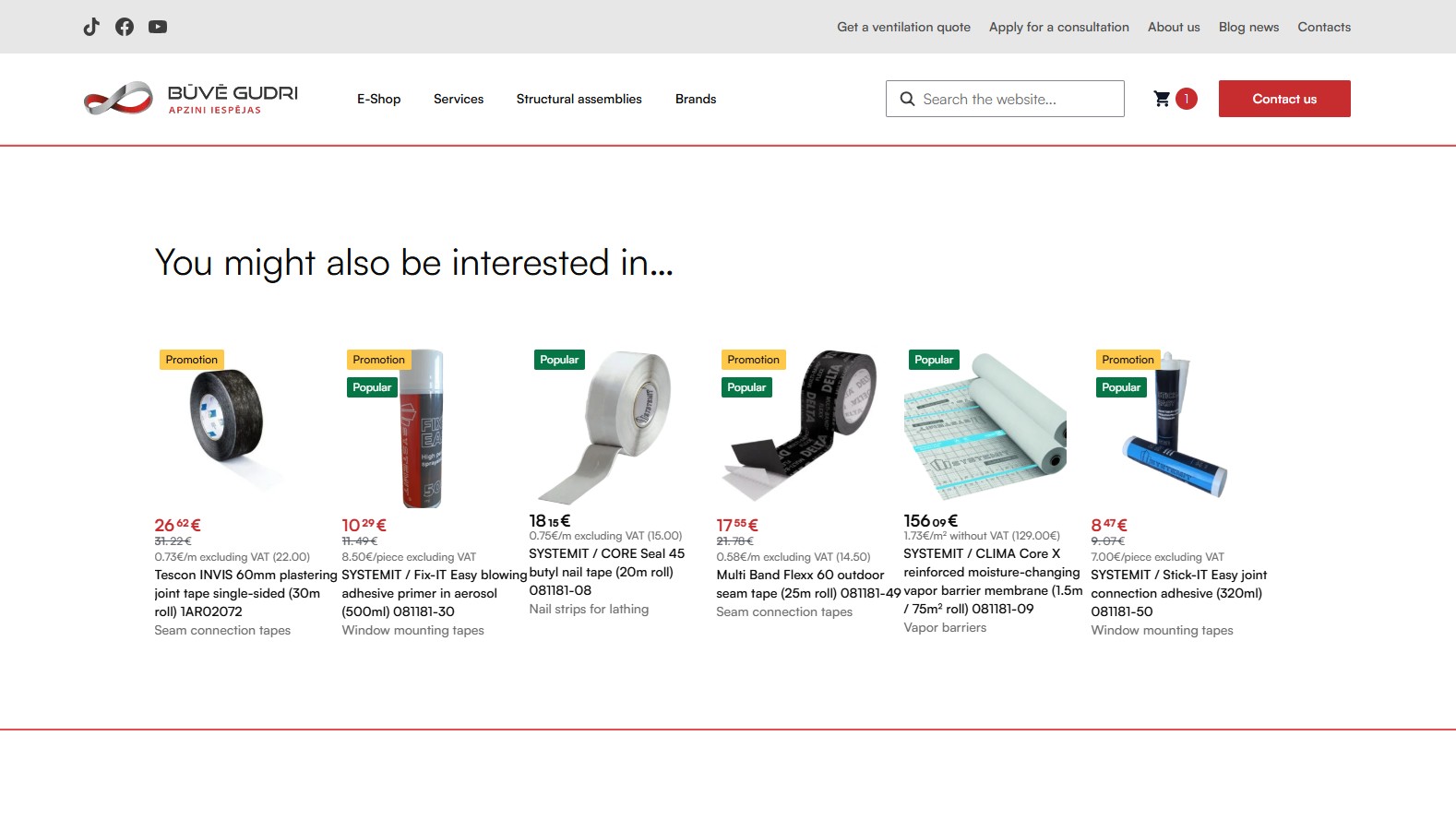
Useful personalization tactics include:
- Personalized product recommendations
- Cross-selling and upselling based on cart activity
- Recently viewed product reminders
- Personalized discount offers
- Targeted follow-up emails or pop-ups
Pro Tip:
In our experience, personalization works best when ecommerce businesses avoid generic follow-ups and broad assumptions. Instead, they should collect and use real behavioral signals. With more insight into the shopper’s mindset, you can tailor recovery strategies around what they actually need.
A Better Cart Experience Starts Before the Cart
Cart abandonment is not solved by one popup, one discount, or one checkout tweak. It improves when the whole buying path feels easier to finish. That means showing shoppers what they need to know before doubt builds, keeping costs and policies easy to understand, making mobile interactions painless, and using follow-up only when it adds a useful reason to return.
Every small improvement removes one more excuse to leave. For ecommerce businesses, that can mean more completed orders from the traffic they already worked hard to earn.
Frequently Asked Questions
What is cart abandonment?
Cart abandonment happens when a shopper adds one or more items to their online cart but leaves before completing the purchase.
It is common in ecommerce, but a high cart abandonment rate can point to issues with pricing, product information, trust, mobile UX, checkout friction, or follow-up strategy. It can also have a direct impact on revenue, since the store is losing shoppers who have shown interest in buying.
How can ecommerce stores reduce cart abandonment?
Ecommerce stores can reduce cart abandonment by fixing the points where shoppers lose confidence or momentum.
That usually means making costs clearer, improving product pages, simplifying checkout, strengthening trust signals, improving the mobile experience, and using follow-up messages that match the shopper’s behavior.
Can cart abandonment be completely eliminated?
No, cart abandonment will always happen to some degree. Many shoppers use carts to compare options, save products, check totals, wait for discounts, or come back later. The goal is not to reach a perfect zero.
The goal is to reduce avoidable abandonment and recover more of the shoppers who still have purchase intent.
What is the difference between cart abandonment and checkout abandonment?
The difference is that cart abandonment can happen any time after a shopper adds an item to the cart, while checkout abandonment happens only after the shopper starts the checkout process.
Cart abandonment is broader because the shopper may still be browsing, comparing, or saving items for later. Checkout abandonment usually signals stronger purchase intent because the shopper has already moved into steps like shipping, payment, or order review.
