

What are WooCommerce Tags and How to Use Them?
WooCommerce tags start as a simple labeling feature, and for stores in their first year, they usually stay that way. The complications tend to appear later, once several people have been adding tags without a naming convention and campaigns have come and gone without anyone retiring the labels they created. A store that opened with twenty tags can easily be running with three hundred by year three, most of them variations of a handful of underlying concepts.
When that happens, the same store tends to develop three related problems at once. Tag archive URLs get indexed by search engines even when the underlying content is thin. Category page rankings weaken as tag archives cannibalize the same terms. And building a campaign around a specific concept becomes harder because the WooCommerce tags for that concept are fragmented across several near-duplicates. The tag layer is a small feature, but at a certain scale, it is doing more damage than most teams realize.
This article covers what WooCommerce tags actually are at the code level, where the common failure modes appear, and how to structure the tag layer so it stays useful rather than becoming a maintenance problem.
- What WooCommerce Tags Actually Are
- WooCommerce Tags vs Categories vs Attributes: Where People Get This Wrong
- The Four Ways Unmanaged WooCommerce Tags Break Things
- What Does Any of This Actually Cost
- How to Actually Use WooCommerce Product Tags
- What to Check on Your Store Before Touching Anything
- Hiding or Removing WooCommerce Product Tags from Product Pages
- Governance: The Boring Part That Actually Works
- Category, Attribute, or Tag: A Decision Table
- Fix It In-House or Bring Someone In
- Where That Leaves You
- Frequently Asked Questions on WooCommerce Tags
What WooCommerce Tags Actually Are
Managing WooCommerce product tags means working with terms in the product_tag custom taxonomy. Same plumbing WordPress uses for post_tag on blog posts, just registered against products instead.
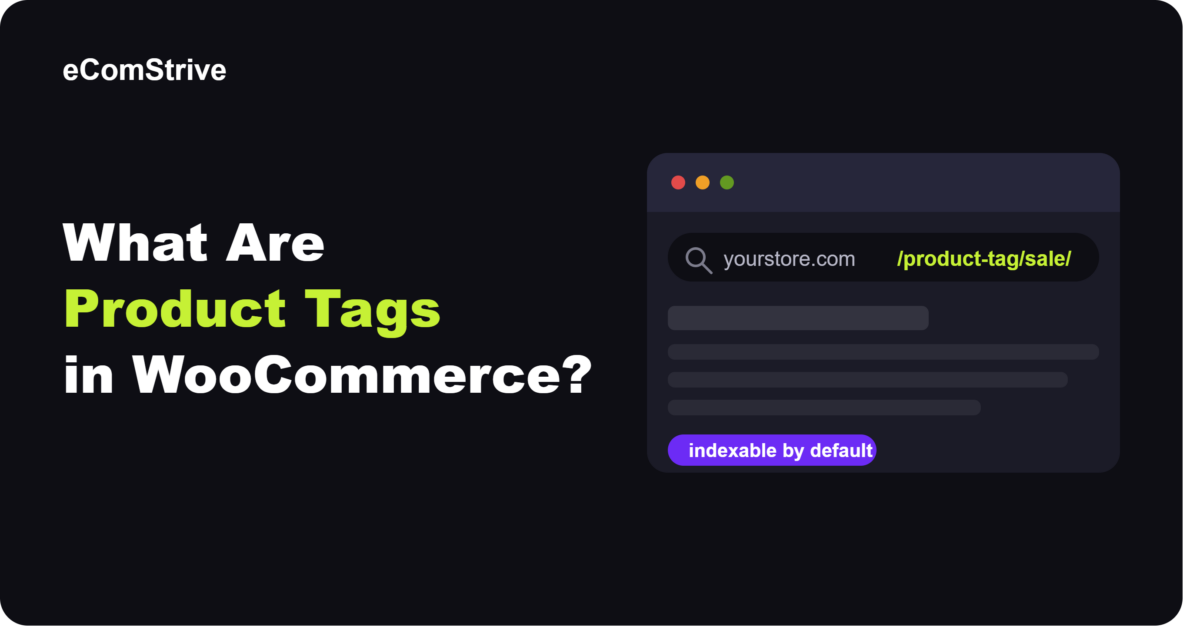
The behavior people forget: every tag you add becomes a public URL at /product-tag/{slug}/. That archive page has its own title, and depending on your SEO plugin configuration for WooCommerce meta tags, it may auto-generate its own meta description. By default, it goes into your XML sitemap, meaning Google can crawl and index it immediately.
Product tags in WooCommerce are flat. You bulk edit them from Products → Tags in wp-admin. You can attach them to any product, ignoring category boundaries. And unless the theme or somebody in the codebase has gone out of their way to hide them, they render on the single product page under the product meta block.
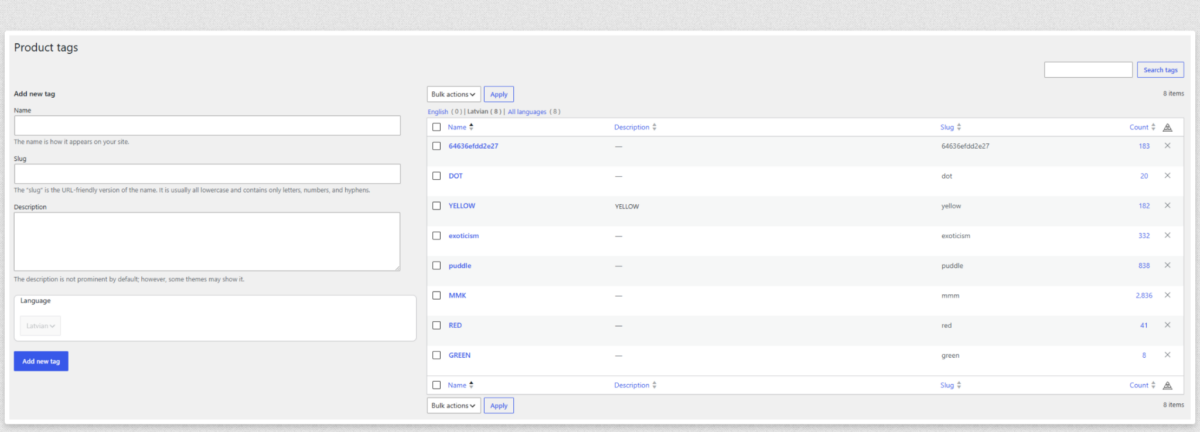
That last part – the public-by-default behavior – is the quiet reason WooCommerce tags stop being an internal labeling system and start being an SEO surface area nobody is managing.
WooCommerce Tags vs Categories vs Attributes: Where People Get This Wrong
Every taxonomy conversation ends here eventually. Every WooCommerce merchandising problem worth looking at traces back to unclear boundaries between three overlapping systems: categories, attributes, and WooCommerce product tags. On paper, they all “group products.” In practice, they do very different jobs.
| Feature | Categories | Attributes | WooCommerce Product Tags |
| What it is | Primary product taxonomy | Structured product properties | Cross-cutting labels |
| Hierarchy | Yes, parent-child | No | No |
| Filters | Sometimes | Yes – use these | Do not |
| Archive pages | SEO-relevant | Yes, if enabled | Often thin |
| Editorial use | Rare | Never | Common |
| Example | Men’s Shoes → Running | Colour: Red, Size: 42 | Gift Guide 2026 |
The mistake I see most often is people using WooCommerce tags to power the filter widget. Someone creates a tag called “red.” There is already a color attribute with a “red” value. Now two indexable URLs exist for the same customer intent. Google picks one to rank. It is usually not the one anyone would have picked. Filter behavior is inconsistent depending on where the shopper enters the site. And when you try to unpick it, you find the tag has been attached to 300 products, some of which are not actually red.
If filtering is a real part of how customers browse your store, build it on attributes. A proper product filter for WooCommerce built on attributes stays consistent, plays nicely with structured data, and does not fight your SEO. WooCommerce tags should never be the mechanism.
The Four Ways Unmanaged WooCommerce Tags Break Things
Four things go wrong. Roughly in this order.
Sprawl
A tag list that starts at 20 reaches 200 inside eighteen months if three people can touch it. Everyone creates a tag for whatever is in front of them. black-friday-2024, bf-2024, blackfriday, bf24 – all four exist. Nobody merges them because nobody was told to.
There is no exact number at which this becomes a problem. At 200 tags, the archive layer is unmaintainable.
Overlap with categories
A store selling running shoes has a “Running Shoes” category. Someone tagged products with “running” during a homepage promotion nobody remembers. Both URLs exist. Both target the same intent. Google decides which to rank. It is usually the tag – the archive has less internal linking, no merchandising, a generic auto-generated title – and it converts worse than the category page would have.
Overlap with attributes
Colors, sizes, materials, brands. Attributes. They belong in attributes. When they get duplicated as tags, filtering breaks in ways that are hard to diagnose because the widget still “works” – it just returns the wrong results. This one is expensive because customers do not report it. They just do not convert.
Frontend leakage
By default, WooCommerce shows tags on the single product page. Store owners often confuse these with internal tools like WooCommerce order tags, but WooCommerce product tags render publicly. If the tags were internal – staff labels, campaign tracking, staging tests – they are now on the PDP for every shopper. This is the source of a specific category of ticket: “why does this show, we did not want it public.” The fix looks trivial. It is not, because it depends on the theme and on whether you want to keep the other product meta (SKU, categories) visible when you strip the WooCommerce tags out.
What Does Any of This Actually Cost
The problem with tag issues is that they do not cost anything on any given day. They cost slowly. Which is why they get ignored.
Crawl budget and index bloat. A store with 800 products and 400 WooCommerce tags has 400 additional archive URLs on top of everything else. If 60% of those archives contain fewer than four products, they qualify as thin content by most quality assessments. Googlebot still crawls them.
Cannibalization. Tag archives can outrank category pages for the same term. When they do, they convert worse. And you may not notice, because organic revenue for that keyword still comes in – it is just quietly lower than it should be. Rankings look fine. Revenue per ranking is not.
Merchandising drift. Without a naming convention, you end up with sale, on-sale, clearance, discount-2024, flash-sale. When marketing builds a landing page that queries “sale,” they get a partial set of products because the real sale items are split across five variants. Not an SEO problem. An operations problem that costs the marketing team a Friday afternoon they should have spent on something else.
Support overhead. Frontend-visible internal WooCommerce tags confuse customers. A shopper clicks a tag on a PDP expecting it to act as a tag universal product info and reviews hub that shows more detailed specifications or customer feedback across similar items. Instead, they land on a thin archive with a generic title, bounce, and do not come back that session. Bounce rate on those archives is measurably higher than the category bounce rate.
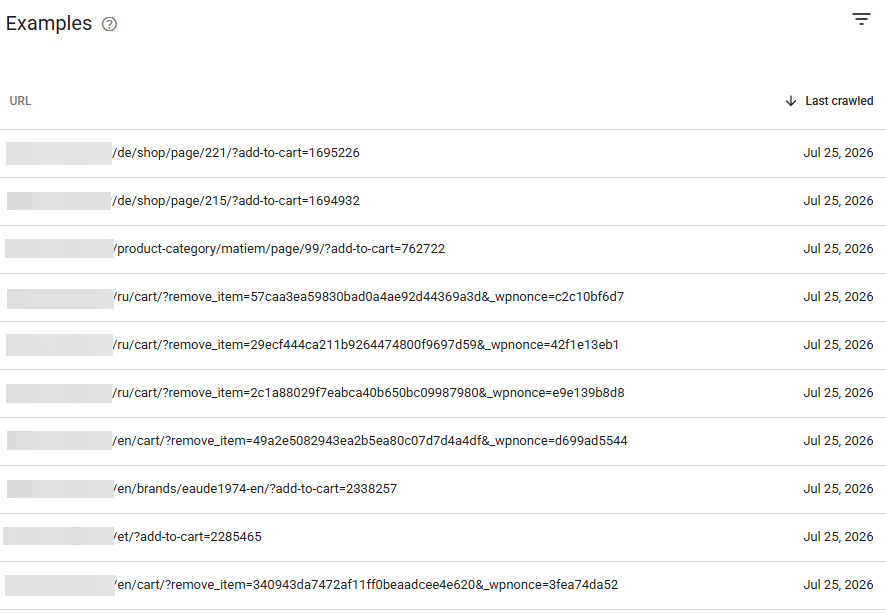
If category rankings have gone soft and there is no obvious technical reason, audit the tag layer before anything else. A technical SEO audit finds this on the first pass. A broader eCommerce competitive analysis puts numbers on how much of the ranking gap is coming from your own taxonomy versus competitors doing something better on theirs.
How to Actually Use WooCommerce Product Tags
Worth being honest about one thing here. WooCommerce product tags are not the problem. They are a legitimate feature that solves things categories and attributes cannot. What causes damage is using them without a policy.
The uses that work:
- Editorial and campaign labels. gift-guide-2025, staff-picks, new-arrival-fw25. Temporary, cyclical, and retired when the campaign ends.
- Feature callouts. waterproof, handmade, limited-edition. Only when the feature does not warrant a full product attribute of its own.
The rules that stop the layer from degrading:
Never use WooCommerce tags for what an attribute should do. Color, size, brand, material – if it is a structured property, it goes in attributes. No exceptions.
Never use WooCommerce tags for what a category already handles. If the term describes a permanent group of products, it is a category.
Cap the number. Most stores do not need more than 40 to 60 active tags at any time. If your list is longer, half of those are probably retired campaigns that nobody removed.
Retire campaign tags when the campaign ends, or noindex the archives immediately.
Enforce one naming convention. Lowercase, hyphenated, singular. No dates unless the campaign structure genuinely requires them. Sounds fussy. Stops the four-versions-of-the-same-tag problem completely.
These rules matter more, not less, when the tag layer feeds anything downstream. Product personalization in WooCommerce that reads tags for segmentation will break silently when tags are renamed or merged without a mapping plan. Same story if you use tags for products as an input to marketing automation, dynamic pricing, or recommendation engines. The tag layer becomes load-bearing without anyone documenting it.
What to Check on Your Store Before Touching Anything
Before you go into the tag list, look at what the tag archives are actually doing. The list itself matters less than that.
Type site:yourstore.com inurl:product-tag into Google. Whatever number comes back is your current index exposure. Small number, mostly commercial pages – probably fine. 300 URLs and the SERP snippets look thin – you have work to do.
Check whether tag pages are in the XML sitemap. Yoast, Rank Math, and All in One SEO all let you exclude a taxonomy. For most stores, tag archives should not be there.
Look at canonical tags on tag archives. Self-canonical is the default, which means the archive is competing with your category for the same intent. Sometimes that is what you want. Usually, it is not.
Check robots directives. For tag archives with weak commercial intent, noindex is usually the right call. Because links on a noindexed page are followed by default unless nofollow is specified, noindex alone is generally sufficient.
Look at the frontend. Does the theme output product tags on the single product page? If yes, and the tags are internal, they need to be hidden.
The minimum viable snippet for noindexing tag archives:
// Set WooCommerce product tag archives to noindex

add_action('wp_head', function() {

    if (is_tax('product_tag')) {

        echo '<meta name="robots" content="noindex" />' . "\n";

    }

}, 1);
Illustrative, not production-ready. A real implementation has to coordinate with whichever SEO plugin is already writing robots meta – two plugins writing conflicting robots directives is one of the more common “why is this still indexed?” tickets I see – handle per-tag overrides for the archives you do want indexed, and get tested on staging before it goes live. Skip that last step, and you can accidentally noindex the entire product taxonomy for a day. It has happened.
If any of this sounds like your store, eComStrive runs a WooCommerce audit that maps indexed tag archives, filter interactions, and cannibalization risks before anything gets deleted. It is a scoping conversation, not a sales call.
Hiding or Removing WooCommerce Product Tags from Product Pages
The “how do I hide tags from the product page” question comes up constantly. Three ways to do it. The right one depends on why you want them hidden.
Unhook the meta template. Cleanest option. In a child theme functions.php:
// Remove WooCommerce product tags from the single product page meta

add_action('init', function() {

    remove_action(

        'woocommerce_single_product_summary',

        'woocommerce_template_single_meta',

        40

    );

});
The catch: this kills the entire product meta block, which also contains SKU and categories. If you want to keep those visible, you need a custom version of woocommerce_template_single_meta() that outputs only the parts you want.
CSS. Faster to write, worse in practice. The markup is still in the DOM, and the tag links still resolve. If your reason for hiding tags is that they were meant to be internal-only, CSS does not solve that. It hides the symptom, not the problem.
Template override. Copy single-product/meta.php into the child theme and edit out the tag block. Most theme-safe. You now own that template, though, and have to maintain it across theme updates. Put a reminder in the calendar.
Worth being clear about one thing. Hiding tags on the frontend does not remove them from the database. It does not deindex the archive pages. Those are separate actions, and they need to be planned together. Half-fixes here – tags hidden on PDPs while 240 tag archives are still indexed and ranking – are how you get four months into a project without solving anything.
Governance: The Boring Part That Actually Works
You cannot fix a tag layer permanently with a one-time cleanup. It comes back. What stops it from coming back is a small, boring policy.
Only editors and above can create tags. Not everyone has product access.
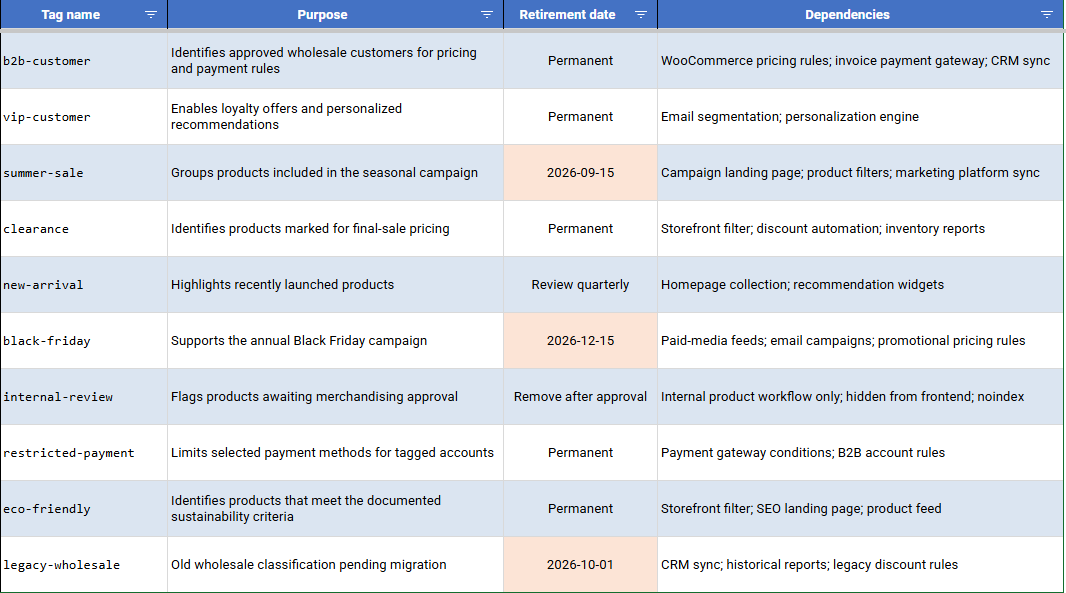
Every new tag has a documented purpose. Campaign-scoped tags have a retirement date written down at the moment they are created, not “we will figure that out later.”
The naming convention is enforced. Lowercase, hyphenated, singular, no dates unless the structure needs them.
Audit the tag list every quarter. Merge duplicates. Retire dormant tags. Check archive indexing status.
Tags used for internal filtering only are hidden from the frontend and set to noindex the day they are created.
Skip the governance and just do the cleanup, and you will be back here in fourteen months. I have seen this happen to the same store twice.
Downstream systems make governance non-optional. Marketing platform sync, personalization rules, filter integrations, sometimes even WooCommerce payment gateways where certain payment methods are gated by tag for B2B pricing – all of these break silently when a tag is merged or renamed without checking dependencies first.
Category, Attribute, or Tag: A Decision Table
If you cannot decide where a new grouping belongs, this table handles most cases.
| Scenario | Right choice | Why |
| Permanent shelf grouping (“Running Shoes”) | Category | Primary taxonomy, hierarchical, SEO-weighted |
| Structured property that repeats (color, size, brand) | Attribute | Powers filtering, structured data |
| Time-limited campaign (“Black Friday 2025”) | Tag, noindexed | Temporary, retired after the campaign |
| Cross-category theme (“Vegan”, “Gift-Ready”) | Tag | Cuts across categories |
| Something a filter should surface | Attribute | Never tags |
| Something the URL structure should reflect for SEO | Category | Tag archives are secondary at best |
| Internal-only label | Tag, hidden and noindexed | Never expose internal labels to shoppers |
The heuristic: if the answer is not obvious in thirty seconds, the grouping is probably a category or attribute in disguise. When in doubt, do not make it a tag. The tag layer should be the smallest of the three, and it should stay that way.
Fix It In-House or Bring Someone In
The question is not really about the size of the tag list. It is about how much of the store already depends on that layer.
When your team can handle it. Tag list under 100. No archives indexed in Google. No downstream systems are reading the taxonomy. Merge duplicates, retire the dormant tags, write down the naming convention, and hide the internal tags on the frontend. A few days of work. No specialist needed.
When to bring someone in. Three specific situations, in my experience.
Tag archives are already indexed and ranking. Deindexing without a plan cascades – internal linking, canonical logic, redirects all interact. Delete the wrong archives, and you drop rankings that were earning revenue. This is where an audit becomes non-negotiable.
Tags feed downstream systems. Filters, automated collections, marketing sync, and personalization. Renaming or merging can silently break a feature the merchandising team relies on, and nobody has documented.
A migration is involved. Tag data moving between platforms or between staging and production has a long tail of edge cases – slug conflicts, term ID reassignment, orphaned associations – and all of them turn into production incidents if the migration is not scoped in advance.
Where in-house becomes a mistake. The store has 200+ tags. Several of them are ranked. The merchandising team is actively using tags for filters or campaigns. The tag layer has become load-bearing without anyone documenting it. A naive cleanup breaks customer-facing behavior, and by the time anyone notices, the change has already gone through several caching layers.
This is roughly where eComStrive gets involved. As a WooCommerce development agency, the pattern is the same each time: map the current tag layer, its dependencies, and its SEO exposure, before any change gets made. Then execute the cleanup as one coordinated release with the redirects, sitemap updates, and frontend adjustments together. This work usually sits inside a broader ecommerce website development engagement rather than a standalone patch, because a store that has grown to this stage rarely has just one thing that needs attention.
Where That Leaves You
WooCommerce tags look small. They behave small until the store grows past a certain point. Then they quietly become a taxonomy problem, an SEO problem, and a merchandising problem at once – and none of the three teams notices it is the same problem.
Most stores that check their tag layer find one of the four failure modes already in progress. That is not a crisis. It is a signal to audit before the next campaign adds another twenty WooCommerce tags to the pile.
If the tag list is still small and disciplined, keep it that way with the governance rules above. If it has grown past what your team can clean up without breaking something, book a scoping conversation with eComStrive. The output is a documented tag audit, not a pitch.
Frequently Asked Questions on WooCommerce Tags
What are WooCommerce tags?
Terms in the product_tag custom taxonomy. WooCommerce registers them the same way core WordPress registers post tags – flat, non-hierarchical labels you attach to products. Each tag creates a public archive URL at /product-tag/{slug}/. They are meant for cross-cutting or editorial groupings that do not fit categories or attributes.
How do you hide product tags in WooCommerce?
The cleanest way is to unhook the meta template output. Add remove_action(‘woocommerce_single_product_summary’, ‘woocommerce_template_single_meta’, 40); in a child theme’s functions.php. That hides the entire product meta block, though, including SKU and categories – if you want to keep those, write a custom version of the callback that outputs only what you want. Hiding on the frontend does not deindex the archive pages, which is a separate step you have to plan alongside redirects.
How do you display WooCommerce tags?
They render by default under the product meta on the single product page. To place them elsewhere, use wc_get_product_tag_list($product_id) in a template file, or the [products] shortcode with a tag attribute, for example [products tag=”hoodie”], to list products carrying a specific tag. Any custom placement should live in a child theme so it survives theme updates.
Why is my WooCommerce shop page not showing products with certain WooCommerce tags?
Nine times out of ten, this is not actually a tag problem. Check whether the shop query is filtered by category, whether products are set to catalog visibility “Hidden,” and whether an object cache is serving stale results. If tags are feeding a filter widget, the filter plugin’s query may be silently excluding products it should be returning.
What is the difference between product tags and categories in WooCommerce?
Categories are the primary product taxonomy. Hierarchical, SEO-weighted, central to site structure. Tags are flat, non-hierarchical labels used for cross-cutting groupings – campaigns, themes, editorial angles. A product lives in a category as part of its permanent classification. A tag gets attached for a specific merchandising purpose, and often should be removed later. Never use WooCommerce tags for what a category should handle.
Ready to clean up hundreds of bloated WooCommerce product tags without risking your hard-earned search rankings? Fixing a broken taxonomy takes careful coordination, from setting up proper redirects to updating sitemaps and template logic.
Chat with the engineering team at eComStrive to get a clear, documented audit of your tag layer and a step-by-step cleanup roadmap before launching your next big campaign.
Book a Strategy Call with eComStrive
