


WooCommerce Payment Gateways: Everything You Need to Know
WooCommerce payment gateways start as one of the simpler decisions in a store build. Install WooCommerce Payments or the Stripe extension, complete the onboarding wizard, take a test order, and the checkout works. For stores in their first year, that is often where the analysis of the payment stack ends.
A conversion drop after a plugin update turns out to be a Strong Customer Authentication issue on cards from certain issuing banks. Refunds work half the time. Failed payments retry in ways nobody documented. Currency conversions eat margin the finance team did not budget for. And processing fees, at monthly settlement, are now large enough to justify actually looking at whether the gateway choice made in month one is still the right one.
This article covers what WooCommerce payment integration gateways actually are, how WooCommerce Payments fits alongside the alternatives, and what to think about before changing anything in the payment stack. Let’s get started.
- What WooCommerce Payments Actually Is
- The Other WooCommerce Payment Integration Gateways
- What Merchants Actually Pay
- Compliance and Security: The Part Nobody Wants to Read
- When WooCommerce Pay for Payment Processing Is the Right Call
- Third-Party WooCommerce Payment Integration: What to Verify Before Going Live
- Building a WooCommerce Custom Payment Gateway
- What Tends to Break in Production
- Fix It In-House or Bring Someone In
- Decision Framework: Which WooCommerce Payment Gateways Path Fits Your Store
- WooCommerce Payment Gateways: Where That Leaves You
- WooCommerce Payment Gateways: Frequently Asked Questions
What WooCommerce Payments Actually Is
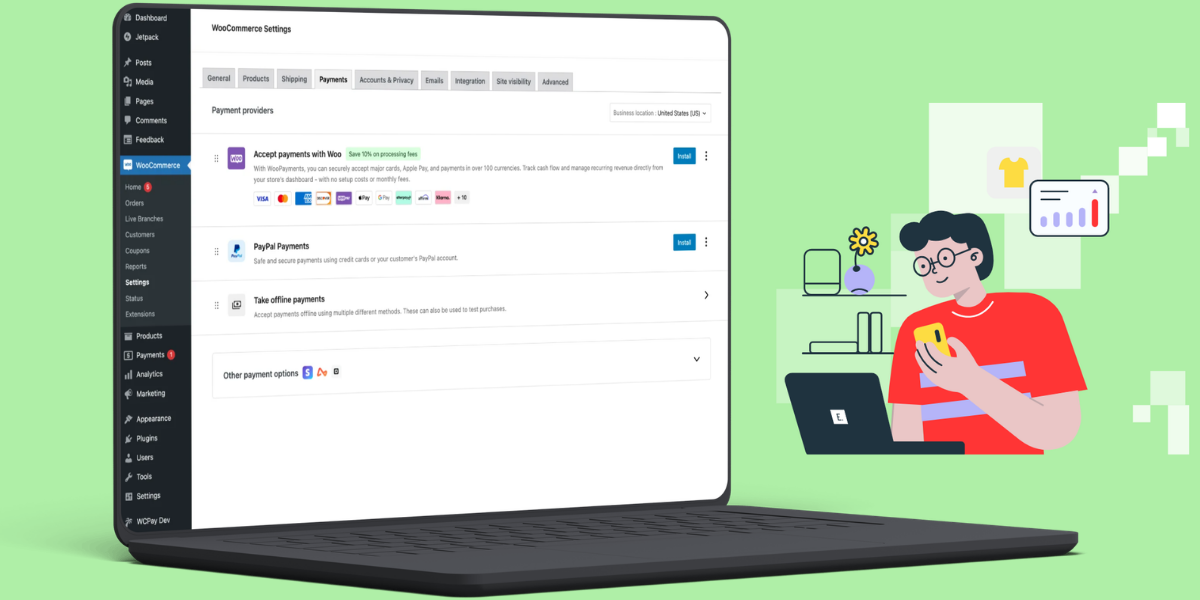
WooCommerce Payments (rebranded to WooPayments in 2023) is Automattic’s own payment product for stores running WooCommerce. It is not one of the traditional WooCommerce payment gateways provided by independent third parties. A wrapper around Stripe, packaged as a WooCommerce extension and marketed as the built-in option for the platform. That is important later.
From the merchant’s perspective, this native WooCommerce payment integration simplifies store management. Card acceptance, Apple Pay, Google Pay, disputes, refunds, and reporting all live inside wp-admin rather than in a separate provider portal. For stores in supported countries with straightforward requirements, that removes a category of context switching the operations team would otherwise have to handle.
What it does not change is the underlying economics or the compliance model. Because WooCommerce Payments runs on Stripe, the processing fees, the KYC requirements, the payout schedules, and the technical constraints are Stripe’s. A store choosing WooCommerce Payments is choosing Stripe with a WooCommerce-flavored admin on top.
That distinction matters when a store outgrows standard WooCommerce payment gateways. Merchants who assume WooCommerce Payments is fundamentally different from a direct Stripe integration find out otherwise the first time they try to move data between the two. Same infrastructure, different configuration surface, migration path in between.
The Other WooCommerce Payment Integration Gateways
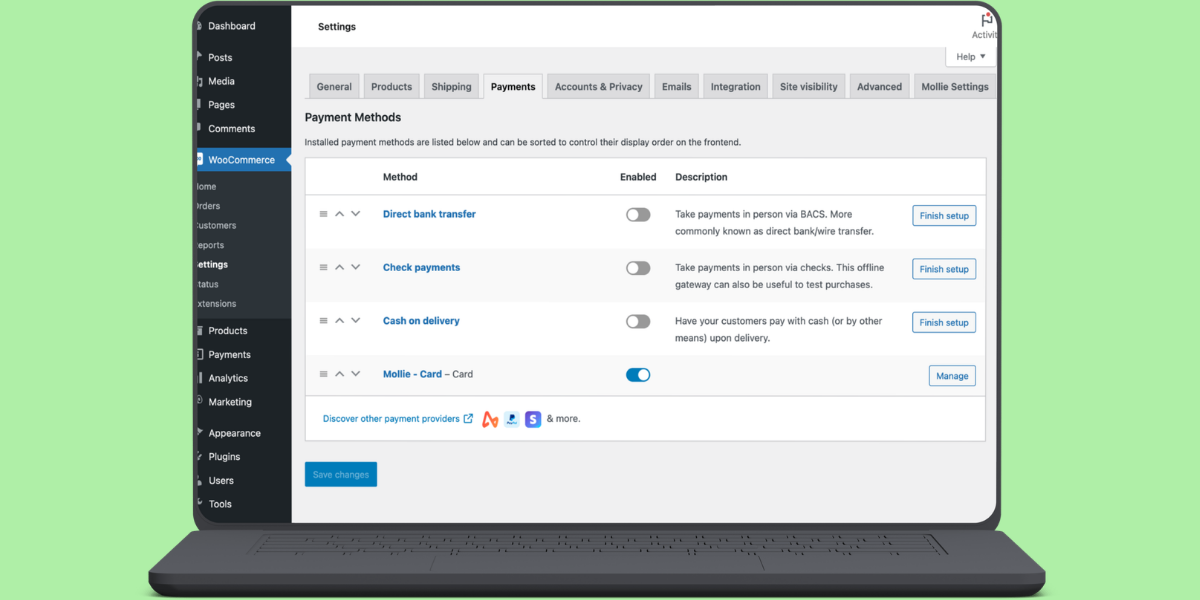
WooCommerce supports dozens of third-party WooCommerce payment gateways through the extension marketplace. The ones you actually see on most stores: Stripe as a direct integration, PayPal, Square, Authorize.Net, Braintree, Klarna, Mollie. Regional options extend the list further, particularly across European and Asian markets where local acquirers and buy-now-pay-later services carry meaningful share.
Choosing between them is rarely as simple as picking the lowest headline fee. Each of the WooCommerce payment gateways has its own combination of supported currencies, supported card networks, buyer regions, checkout UX (redirect versus embedded), and dispute resolution flow. Some route through 3D Secure 2.0 cleanly. Others rely on legacy 3DS 1.0 and produce measurably higher failure rates on cards from banks with strict authentication rules.
The first serious question is not “which gateway is cheapest.” It is “which gateways match where our customers actually pay from, and which ones interact well with our existing checkout customizations.” A store selling primarily in the Nordics has a different answer than one selling primarily in North America. Both have different answers than a store selling B2B invoices with net-30 terms. Any product customization for WooCommerce that touches the checkout has to be considered as part of the gateway decision, not treated as a separate concern.
What Merchants Actually Pay
Headline processing rate is only the first line of the cost stack. Stores that budget on the headline number alone tend to be surprised by their monthly settlement statements.
Stripe’s standard US card rate is 2.9% plus $0.30 per successful transaction. That is public. What is not always highlighted in the initial quote:
- International card surcharges when the buyer is paying with a card issued outside the merchant country. Stripe adds 1.5% on standard pricing for this.
- Currency conversion fees when the buyer’s currency does not match the settlement currency.
- Chargeback and dispute fees, applied per dispute regardless of the outcome. Stripe charges $15 per dispute on standard pricing.
- Payout fees, particularly on cross-border payouts or accelerated payout schedules.
- Any WooCommerce extension license or subscription costs tied to the gateway plugin.
For stores processing above a certain volume, the base processing percentage becomes negotiable. Payment providers offer interchange-plus pricing to merchants who ask. The option is rarely surfaced by default. Stores that stay on flat blended pricing past the point where negotiation is realistic usually leave meaningful money on the table each month.
The other cost that often goes unmodeled:
The WooCommerce credit card processing fee impact on refunds. Stripe’s policy since 2019 is that the original processing fee is not returned on any refund – full or partial, percentage or fixed. A $100 sale that gets fully refunded still forfeits the $3.20 in fees. A $1 partial refund on the same sale forfeits the same $3.20. For a store with high refund volume – variable weight orders, subscription proration, damaged-item credits – that cost adds up in a way that is not visible in the standard reporting. Other gateways vary. Read the fee schedule before assuming a full refund is close to free.
Compliance and Security: The Part Nobody Wants to Read
Payment security on WooCommerce is not optional. The compliance model changes based on how WooCommerce payment gateways are integrated, which is the part most merchants do not think about until it becomes their problem.
Merchants who never see raw card data – because the gateway handles card entry through a redirect, an iframe, or a tokenized field – are typically eligible for SAQ-A under the PCI DSS self-assessment framework. This setup offers the lowest-effort compliance path for your WooCommerce payment integration.
Merchants who accept card data on their own domain, even briefly, fall into stricter SAQ categories that require significantly more documentation, scanning, and technical controls. The default WooCommerce Payments configuration is designed to keep merchants in SAQ-A territory, which matches Woo’s own documentation for the Stripe extension.
Worth flagging: some acquirers and QSAs classify embedded, tokenized-field checkouts as SAQ A-EP rather than SAQ A, based on how the PCI SSC treats script-protection controls. In practice, confirm the applicable SAQ with your acquirer rather than assuming SAQ A automatically. Custom integrations that render card fields directly on the checkout can push the store out of the lower category without the merchant realizing it happened. Discovering this after the fact is a specific kind of unpleasant.
In the EU, PSD2 requires Strong Customer Authentication for most online card payments. In practice that means 3D Secure 2.0 flows on the majority of transactions, with several exemptions – low value, trusted merchant, recurring, transaction risk analysis, among others. A gateway that does not support 3DS 2.0 properly will see visible conversion drops on EU-issued cards. And the failures do not always surface as clear errors – some appear as abandoned checkouts, which makes diagnosis harder.
Storing card data locally is a category of decision no store should make without a specific compliance review. Tokenization through the gateway is the correct pattern in almost every case.
When WooCommerce Pay for Payment Processing Is the Right Call
Three specific situations make WooCommerce Pay for payment processing the right choice.
First: the store is in a supported country, sells primarily to buyers in that country, and does not have complex checkout requirements. In this configuration, a built-in WooCommerce payment integration removes work that would otherwise fall on the developer. That is worth real money for smaller teams.
Second: managing disputes and refunds through a separate provider portal is a meaningful operational cost. Small teams that handle every payment issue manually often benefit more from the wp-admin integration than they would from a lower headline fee elsewhere.
Third: the store expects to use additional WooCommerce features that assume WooCommerce Payments as the payment layer. Built-in multi-currency, some subscription flows, and whichever features Automattic rolls out to WooCommerce Payments first over the next few years. Betting on the platform makes sense if you are already on the platform.
Where it is not the right call: high-volume stores that could negotiate meaningful interchange-plus pricing with a direct gateway relationship, stores in countries where WooCommerce Payments is unavailable or restricted, and stores with strong existing merchant relationships that would be more expensive to migrate than to maintain.
If any of this sounds like your store, eComStrive runs a payment integration review that maps the current gateway configuration, compliance posture, and checkout risk points before any change is scoped. It is a scoping conversation, not a sales call.
Third-Party WooCommerce Payment Integration: What to Verify Before Going Live
Most third-party WooCommerce payment gateways ship as WooCommerce extensions. Installation is nominally a few clicks. The work that determines whether these WooCommerce payment gateways behave properly in production sits mostly in the configuration and testing phases, not the installation itself.
A working third-party WooCommerce payment integration needs the following to be verified before it goes live:
- HTTPS across the entire site, with no mixed content warnings on the checkout.
- Correct webhook or IPN URLs configured on both the gateway side and the WooCommerce side.
- Test transactions that exercise successful payment, failed payment, 3DS challenge, refund, and partial refund.
- Timezone alignment between the gateway settings and the WooCommerce site.
- Currency configuration that matches what the gateway will actually settle in.
- Order status handling for asynchronous payment methods (bank transfers, some BNPL flows).
- Coordination with any caching layer that might interfere with checkout session data.
Skip any of these and you get a specific category of production incident. Webhook misconfiguration in particular produces orders stuck in “pending” status because the gateway confirmed the payment but WooCommerce never received the callback. Diagnosing that on a Monday after a busy weekend is significantly harder than testing it beforehand. Which is what always happens.
Building a WooCommerce Custom Payment Gateway
Building custom WooCommerce payment gateways is not a routine task. It is not something most stores need. It becomes relevant in a narrow set of scenarios: integrating a regional acquirer that does not ship a maintained WooCommerce extension, building against an internal or corporate payment system, or supporting a payment method with logic that no existing extension models correctly.
A WooCommerce custom payment gateway extends the WC_Payment_Gateway abstract class provided by WooCommerce and registers itself via the woocommerce_payment_gateways filter. Minimum viable skeleton:
// Register a custom gateway with WooCommerce

add_filter( 'woocommerce_payment_gateways', 'register_custom_gateway' );

function register_custom_gateway( $gateways ) {

    $gateways[] = 'WC_Custom_Gateway';

    return $gateways;

}

// Load the class once WooCommerce is available

add_action( 'plugins_loaded', 'init_custom_gateway', 11 );

function init_custom_gateway() {

    if ( ! class_exists( 'WC_Payment_Gateway' ) ) {

        return;

    }

    class WC_Custom_Gateway extends WC_Payment_Gateway {

        public function __construct() {

            $this->id                 = 'custom_gateway';

            $this->method_title       = 'Custom Payment Gateway';

            $this->method_description = 'Handles payments via custom acquirer.';

            $this->supports           = array( 'products', 'refunds' );

            $this->init_form_fields();

            $this->init_settings();

            add_action( 'woocommerce_update_options_payment_gateways_' . $this->id,

                        array( $this, 'process_admin_options' ) );

        }

        public function process_payment( $order_id ) {

            // Charge logic, gateway API call, tokenization, response handling.

            // Return array( 'result' => 'success', 'redirect' => $redirect_url );

        }

    }

}
The real work is in process_payment() and in the webhook handling that updates order status based on the gateway’s asynchronous responses. That code has to be idempotent. It has to handle partial failures gracefully. It has to log enough to be diagnosable when something goes wrong at 2am. And it has to survive WordPress and WooCommerce major version updates without breaking.
For most merchants, building bespoke WooCommerce payment gateways exceeds the cost of using supported extensions. Building a custom WooCommerce payment integration with a WooCommerce development agency is usually a better use of the same budget than keeping bespoke code alive internally.
What Tends to Break in Production
Failures across WooCommerce payment gateways rarely present as a single obvious symptom. The pattern is usually a slow degradation in checkout completion rate that only becomes visible when someone compares month-over-month conversion. Which is later than you want.
The most common causes:
- SSL certificate expiration or renewal that breaks webhook delivery.
- Currency mismatches between the store, the gateway, and the buyer’s browser locale.
- Test mode credentials left in place after a staging-to-production deployment.
- WooCommerce or WordPress updates that change a hook the gateway extension relied on.
- Payment method extensions with overlapping WooCommerce filter priorities returning wrong results when multiple gateways register on the same hook.
- Server-level rate limits blocking gateway API calls during traffic spikes or promotional pushes.
None of these is exotic. All of them have caused revenue-visible outages on production WooCommerce stores. Most of them are preventable with a checkout QA process before any WooCommerce payment integration change goes live. Most stores do not run that QA process.
Some stores also gate specific payment methods by WooCommerce tags or product categories – offering purchase-order billing only on B2B products, for example. When those conditions are handled through custom filters, a change to the tag or category structure can silently disable the payment method without producing a visible error. That is an operations problem masquerading as a payment problem. And it is the reason payment stack changes should always include a review of the tag and category logic that gates methods.
Personalized checkout logic can go a step further too. Pairing a product personalizer woocommerce setup with payment gating means a customized item, like an engraved product, can automatically route to the right payment flow or deposit structure.

Fix It In-House or Bring Someone In
For routine gateway installs and standard configuration, an in-house developer or a technical operator can handle the work. The threshold for external help is not the size of the store. It is the complexity of the payment surface and the cost of a mistake.
When your team can handle it. Installing and configuring a supported WooCommerce payment integration extension. Running standard checkout QA before a plugin update. Basic troubleshooting of failed payments where the gateway logs are clear. Adjusting fee reporting for finance visibility. A few days of work per change. No specialist needed.
When to bring someone in. Three specific situations, in my experience.
The store processes enough volume that a payment outage has a measurable revenue impact per hour of downtime. At that scale, the cost of a bad deployment on the payment stack is larger than the cost of running the change past a specialist first.
Multiple gateways are running in parallel. Region-specific routing, currency-specific routing, method-specific fallback logic. Every added gateway multiplies the number of interaction states that need to be tested. In-house teams can handle two. They start missing edge cases at three.
A gateway migration is on the table, and subscriber state, saved cards, or recurring billing has to move cleanly. Payment token migration in particular has a long tail of gateway-specific requirements that only surface during requirements review. Anyone quoting a flat migration timeline before mapping the token model has not done a payment migration before.
Where in-house becomes a mistake. The store is on the boundary between SAQ-A and stricter PCI categories and nobody on the team has done a compliance review before. A WooCommerce custom payment gateway is being built by a developer who has not integrated a gateway API before. Checkout customizations have accumulated to the point where nobody can predict what a change will do.
This is roughly where eComStrive gets involved. As a WooCommerce development agency, the pattern is the same each time: map the current payment stack, its dependencies, its compliance posture, before any change gets made. Then execute the change as one coordinated release rather than a series of edits that each need their own regression pass. This work usually sits inside a broader ecommerce website development engagement rather than a standalone patch, because a store that has grown to this stage rarely has just one thing that needs attention.
Merchants running integrated Order Management Software need to plan for how gateway changes affect downstream order flows. A gateway swap frequently changes how order metadata is written back to WooCommerce, and downstream systems reading that metadata can silently break in ways that only surface at end-of-month reconciliation. Which is the worst time to find out.
Decision Framework: Which WooCommerce Payment Gateways Path Fits Your Store
If you are evaluating WooCommerce payment gateways, this table handles most common scenarios.
| Store situation | Right path | Why |
| New store, supported country, standard products | WooCommerce Payments | Fastest to launch, single admin surface |
| Existing store, volume high enough to negotiate rates | Direct gateway relationship (Stripe, Braintree) | Access to interchange-plus pricing |
| Multi-region store with local payment preferences | Multiple regional WooCommerce payment gateways in parallel | Match local buyer expectations and card networks |
| B2B store with invoice or PO billing requirements | Custom gateway or specialized extension | Standard gateways do not model this |
| Regional acquirer with no maintained extension | Custom gateway build | No maintained extension exists |
| Complex compliance requirements | Gateway selected in consultation with compliance review | PCI and SCA implications drive the choice |
The heuristic: if more than one row plausibly describes your store, the gateway decision is worth scoping properly rather than picking the closest match. Payment infrastructure is easier to get right at the point of decision than to fix after a migration.
WooCommerce Payment Gateways: Where That Leaves You
Evaluating WooCommerce payment gateways looks simple at setup and grows complicated at scale. The initial decision – WooCommerce Payments, Stripe, PayPal, or something else – is rarely the one that causes problems. What causes problems is not revisiting that decision when the store has grown to a point where the original choice no longer fits.
Most stores benefit from a payment infrastructure review every twelve to eighteen months. The output is not always a change. Sometimes it confirms the current setup is the right one and identifies smaller improvements. Sometimes it identifies a gateway migration or a custom WooCommerce payment integration that the team has been avoiding because it feels complicated. Either output is more useful than the current state, which is usually “nobody has looked at this in three years.”
If your current WooCommerce payment integration is producing measurable issues – failed renewals, pending orders, disputed transactions, unexplained conversion drops – a scoping conversation with eComStrive can map the current state and identify what actually needs to change before any development work is scoped. The output is a documented review, not a pitch.
WooCommerce Payment Gateways: Frequently Asked Questions
What is WooPay?
A checkout feature within WooCommerce Payments that lets returning shoppers save their payment and shipping details for use across any store using WooCommerce Payments. It reduces checkout friction on repeat purchases by pre-filling saved details. Similar in intent to how Shop Pay works on Shopify. Currently, WooPay is limited to U.S. merchants and U.S. customers. Woo has been expanding WooPayments’ country coverage over time, so that may change, but as of writing it is U.S.-only. For the full breakdown of fees, setup, and how it compares to a direct Stripe integration, see the WooPay and WooPayments guide.
How do you set up WooCommerce Payments?
Install the plugin from the WooCommerce extensions marketplace, connect a WordPress.com account, provide business verification details for KYC, and configure the payment methods to enable. Because the plugin runs on Stripe infrastructure, the setup includes bank account verification for payouts. HTTPS is required across the entire site before the plugin will complete activation. The merchant country also needs to be one of the supported jurisdictions, which is the part most merchants discover the hard way.
What payment gateways does WooCommerce support?
WooCommerce supports dozens of WooCommerce payment gateways through the extensions marketplace. The commonly used ones: WooCommerce Payments, Stripe, PayPal, Square, Authorize.Net, Braintree, Klarna, Afterpay, Mollie. On top of that, dozens of regional providers across European, Asian, and Latin American markets. The full list is in the WooCommerce extensions directory, filtered by country and payment method.
How do you integrate a third-party payment gateway with WooCommerce?
Install the vendor’s official WooCommerce extension. Enter the API credentials from the gateway dashboard. Configure webhook URLs on both sides. Run end-to-end test transactions covering successful payment, failed payment, 3DS challenge, and refund flows before switching to live mode. For gateways without a maintained extension, a WooCommerce custom payment gateway can be built by extending the WC_Payment_Gateway class and registering it through the woocommerce_payment_gateways filter. The build is the smaller part of that work. The webhook handling and idempotency logic is the larger part.
Can WooCommerce Payments gateways handle recurring billing?
Yes, when paired with the WooCommerce Subscriptions extension. It handles card storage, subscription renewal, and Strong Customer Authentication compliance for EU merchants through 3D Secure 2.0. For billing models that do not fit fixed-interval subscriptions – usage-based billing, per-seat pricing, complex B2B billing – the plugin combination typically requires custom development beyond the standard configuration. Which is a separate article.
Book a consultation with eComStrive about your WooCommerce payment stack.
