


WooPay Features, Benefits, and How to Get Started
Most people searching for WooPay are not actually looking for WooPay. They are looking for WooPayments. That is the full payment gateway built into WooCommerce. The shorter name gets used out of habit. This mix-up is worth clearing up first. It changes what the rest of this article means for your store.
WooPay is real. It is a specific express checkout feature. The fees, setup steps, and country coverage most merchants care about belong to WooPayments as a whole. Not to the checkout button alone.
This article covers both. What WooPay actually does. What WooPayments costs. How the two compare to running Stripe directly. And what to check before treating either as a settled decision for a growing store.
- What Is WooPay?
- WooPayments Features and Benefits
- WooPayments Fees: What You Actually Pay
- How to Get Started with WooPayments
- WooPayments vs Stripe Direct: Which Fits Your Store
- Using WooPayments for International Sales from the US
- What to Check Before You Commit
- Fix It In-House or Bring Someone In
- Decision Framework: WooPayments, Stripe Direct, or Something Else
- Where That Leaves You
- WooPay: Frequently Asked Questions
What Is WooPay?
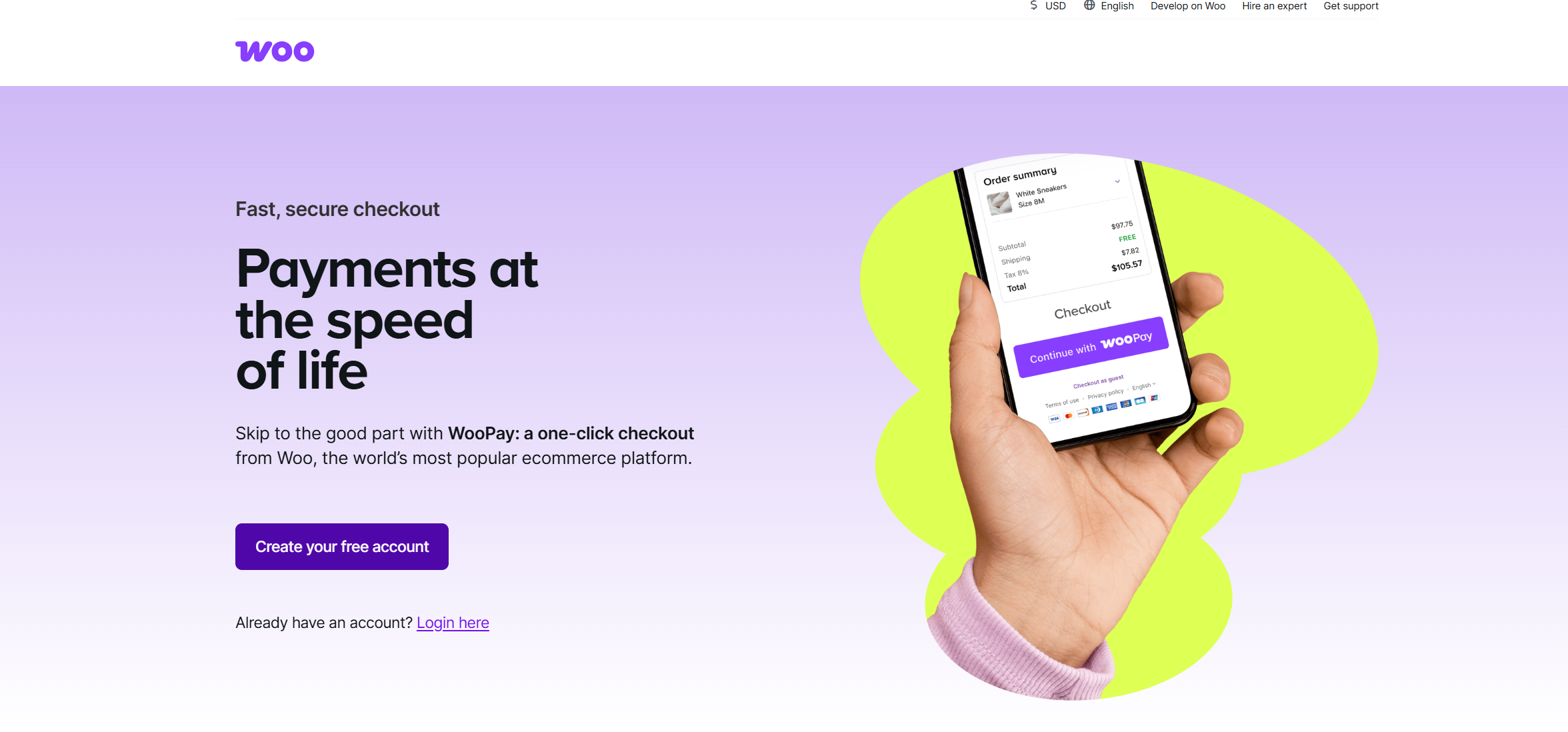
WooPay is an express checkout feature built by Woo. It saves payment and shipping details. A returning shopper checks out in one click. This works at any store running WooPayments with WooPay enabled.
That is the accurate, narrow answer to what WooPay is. It sits inside WooPayments the way Apple Pay or Google Pay does. A checkout option. Not a separate product a merchant installs on its own.
What is WooPay used for, in practice? Reducing friction for returning shoppers at checkout. Nothing more, nothing less.
Right now, WooPay is limited to U.S. customers. Signing up for a WooPay account and shopping with it both require a U.S. billing address. That limitation matters for stores with meaningful traffic from outside the U.S. Those shoppers will not see the WooPay button, regardless of merchant settings.
The broader question most searches are actually asking is different. Not what WooPay is. What WooPayments does, what it costs, and whether it fits the store. The rest of this article answers that question directly.
WooPayments Features and Benefits
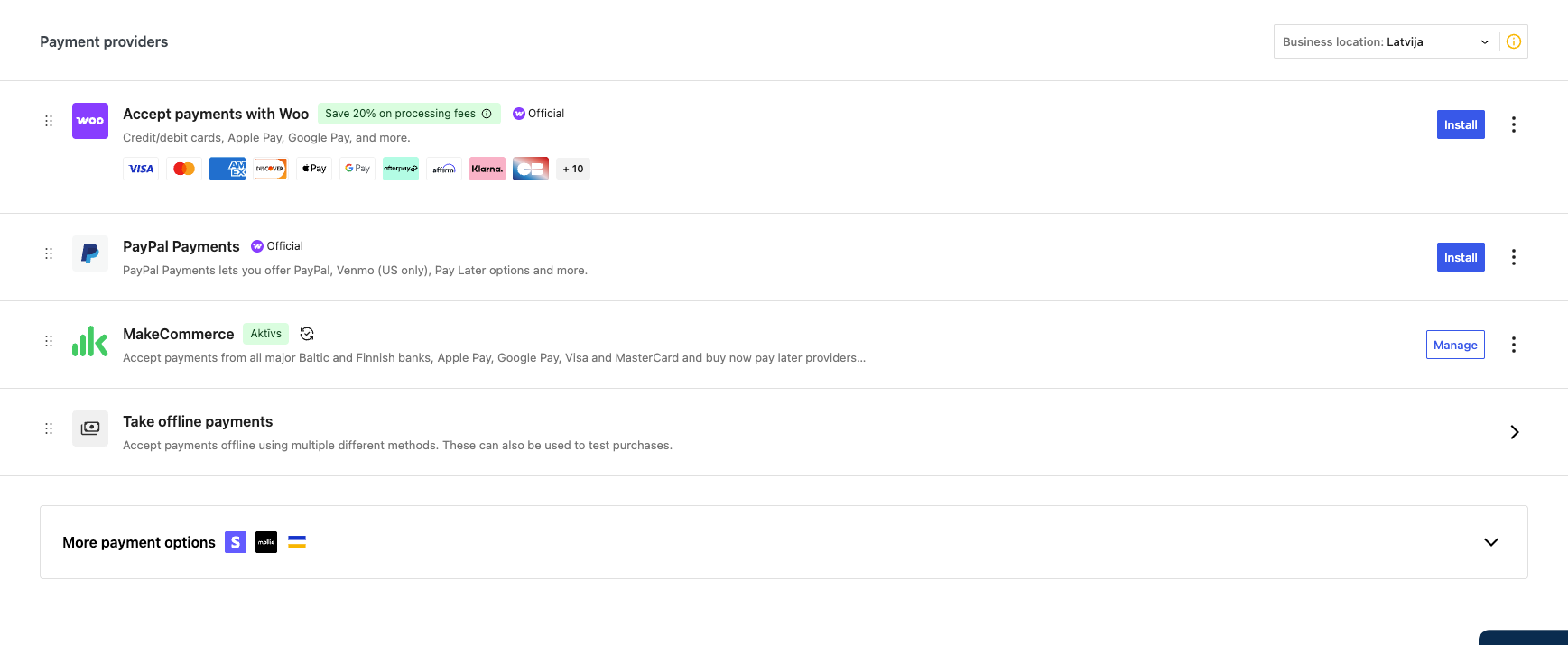
WooPayments bundles card processing, express checkout, multi-currency support, and reporting into one WooCommerce extension. No separate provider portal to manage.
The features that matter for a serious store:
- Unified admin. Transactions, refunds, disputes, and payouts all live in wp-admin under WooCommerce > Payments. No context switching to a separate dashboard.
- Express checkout methods. Apple Pay, Google Pay, and WooPay all appear as one-tap options on product pages and in the cart, reducing friction at the point customers are most likely to abandon.
- Multi-currency. Prices display in the customer’s local currency, with WooPayments handling the conversion at checkout.
- Local payment methods. iDEAL, Bancontact, EPS, Przelewy24, SEPA, and others are available depending on the merchant’s country, useful for stores selling into specific European markets. What is WooPay’s role among these. Just one option on the list, not a replacement for the others.
- No monthly fee. WooPayments runs on a pay-as-you-go model. No setup charge, no monthly subscription, fees deducted per transaction.
- Instant payouts. Eligible accounts can request early access to their balance for a fee, instead of waiting for the standard payout schedule.
None of this is unique to WooPayments specifically. Stripe, direct or otherwise, offers most of the same capability. What WooPayments adds is the WooCommerce-native interface. That removes a layer of operational overhead for smaller teams.
Stores selling configurable or made-to-order products should look at this layer closely. A product personalizer WooCommerce setup often adds a surcharge at checkout, and that surcharge needs to calculate correctly against whichever gateway is active.
WooPayments Fees: What You Actually Pay
WooPayments fees follow a pay-as-you-go structure. No setup fee, no monthly fee. Fees are deducted from each transaction as it settles.
For U.S.-based merchants, the fee structure looks like this:
| Fee type | Rate | Notes |
| Standard card (US-issued) | 2.9% + $0.30 | Per successful transaction |
| International card | +1.50% | Added on top of the base rate |
| Currency conversion | +1.00% | Applies when the payout currency differs from the payment currency |
| Dispute (chargeback) | $15.00 flat | Refunded automatically if the merchant challenges and wins |
| Instant payout | 1.5% of payout amount | Optional, standard payouts have no fee |
A $100 sale from a U.S. card costs $3.20 in fees. The same sale from an international card runs closer to $4.70. The 1.5% international surcharge applies on top of the base rate.
What is WooPay’s fee on a transaction. The same as a standard card payment, no separate rate. One detail catches merchants off guard: transaction fees are not refunded on a refunded order. A $100 sale refunded in full still costs the $3.20 in processing fees. This is standard across most card processors. Not unique to WooPayments. But easy to miss when reconciling monthly numbers.
Fees vary by country. A store based in Latvia, Germany, or another European market sees a different base rate. Currency conversion terms differ too. The rates above apply specifically to U.S. merchants. Always confirm current WooPayments fees for the merchant’s own country before budgeting against them. WooCommerce updates country-specific tables independently.
For stores weighing WooPayments against other options, eComStrive runs a payment integration review. It maps current transaction volume, fee exposure, and checkout risk. All before any change is scoped. It is a scoping conversation, not a sales call.
How to Get Started with WooPayments
Setup is not just clicking install. A few requirements have to be in place before WooPayments will activate.
- HTTPS across the entire site. WooPayments will not complete activation without it.
- A WordPress.com account connected to the store, since WooPayments runs through Automattic’s infrastructure. What is WooPay setup going to require beyond this. Nothing extra, it activates alongside WooPayments automatically.
- Business verification. Legal business name, address, and tax details for KYC compliance.
- A bank account for payouts, verified before the first payout can be released.
- Confirmation that the merchant’s country is on the supported list. WooPayments currently covers close to 40 countries, and being outside that list blocks activation entirely.
One item that rarely makes the setup checklist is the server itself. Checkout reliability depends on it as much as the gateway configuration does. Confirming a Best Web Hosting Service is in place before launch avoids a class of intermittent checkout failures that get blamed on the payment gateway by mistake.
Once active, most stores skip one step: testing the full order flow before going live. Successful payment, failed payment, refund, and dispute should each be tested in a sandbox first. Do this before a single real transaction runs through the account.
WooPayments vs Stripe Direct: Which Fits Your Store
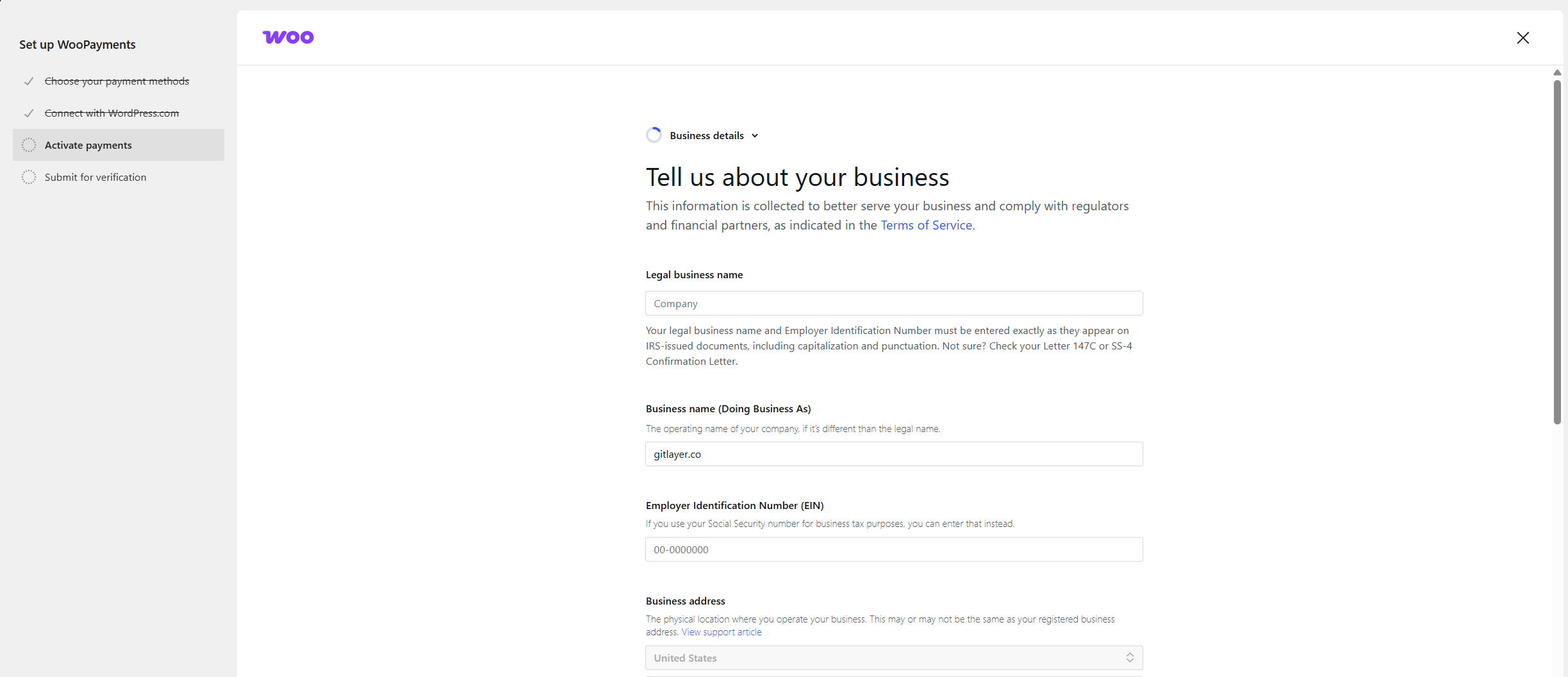
WooPayments is built on Stripe. That is not a secret. It is worth understanding exactly what it means before treating the two as interchangeable.
WooPayments runs through what is known as a Stripe Express account. The merchant gets Stripe’s processing infrastructure without a full, standalone Stripe account. That distinction has real consequences:
- No direct API key access. Integrations that expect a full Stripe account- accounting sync tools, custom reporting dashboards, and some fraud tools- will not connect the way they would with a direct Stripe integration.
- Less visibility into the underlying account. Some diagnostics and settings available in a full Stripe dashboard are not exposed through WooPayments.
- Narrower country coverage. WooPayments supports fewer countries than Stripe’s direct integration does.
- WooCommerce-native reporting. Transactions show up alongside orders in wp-admin without a separate login, which a direct Stripe integration does not offer out of the box. What is WooPay’s place in this comparison. A minor one, it rides along with WooPayments either way.
For a straightforward store selling primarily in a supported country, the tradeoff favors WooPayments. Less setup, unified admin, adequate reporting for most day-to-day needs.
Some stores need the underlying Stripe account for custom integrations. Others want direct control over dispute handling and payout timing. For those, a direct Stripe integration is the better foundation. The rates are close to identical. The difference is control, not cost.
This decision connects to broader checkout architecture questions. Some stores already run custom logic through a WooCommerce payment gateway integration. Others are planning one. Either way, map that requirement against the API access constraint first. Do this before settling on WooPayments as the default.
Using WooPayments for International Sales from the US
Yes, a U.S.-based WooPayments merchant can accept international cards. The mechanics matter more than the yes-or-no answer.
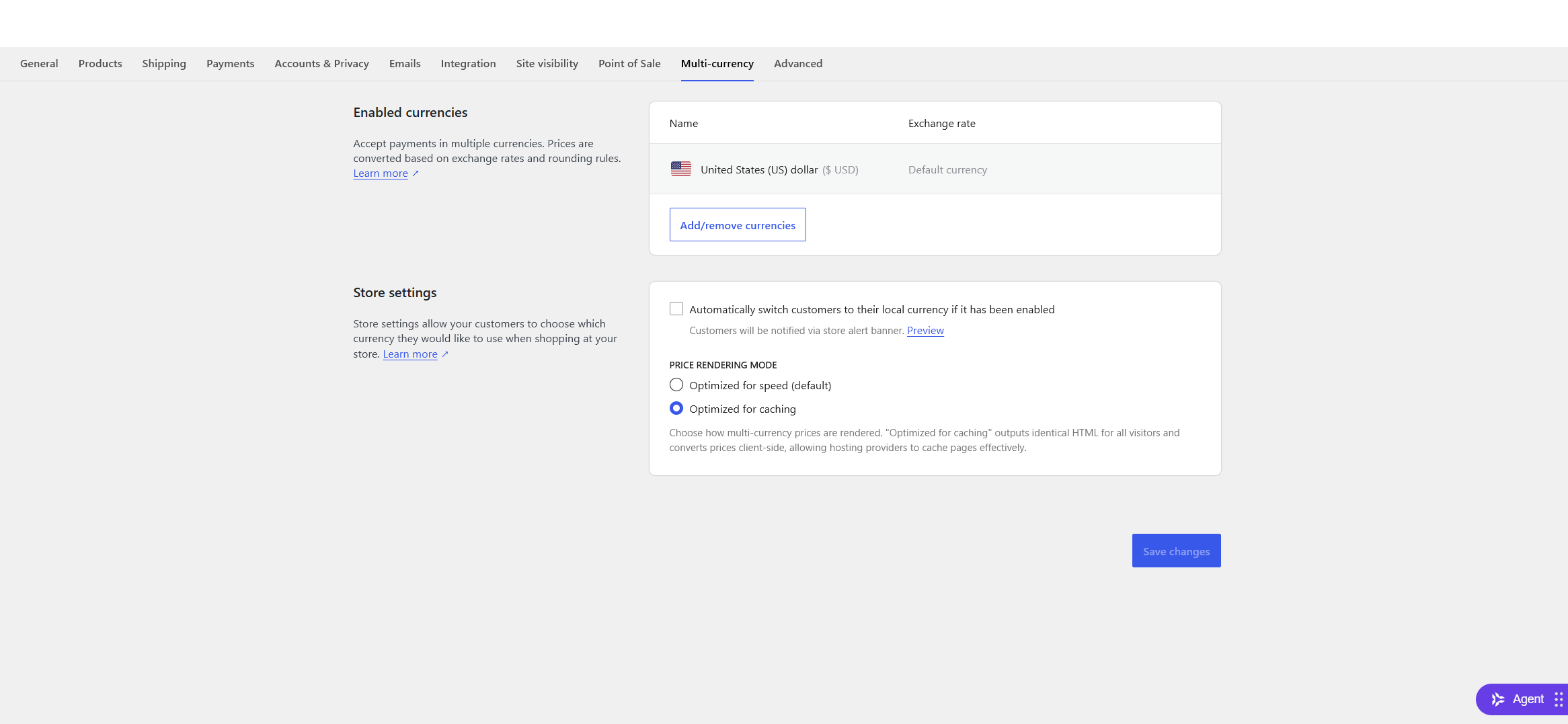
International cards carry an additional 1.5% fee on top of the standard 2.9% + $0.30 rate. A further 1% currency conversion fee applies if the payment currency does not match the payout currency. Stack both, and an international sale can run close to 5.4% plus the fixed fee. Well above the domestic rate.
A few practical consequences follow from that:
- Margin on international orders needs to account for the surcharge, not just the base processing rate.
- What is WooPay’s availability outside the U.S. None yet. WooPay itself will not appear for non-U.S. customers, since the express checkout feature is currently U.S.-only regardless of where the merchant is based.
- Local payment methods (iDEAL, Bancontact, and similar) only appear for merchants based in the relevant country, not for U.S. merchants selling into those markets.
- Multi-currency display can reduce cart abandonment even though the underlying fee structure stays the same.
For a store doing meaningful volume in international sales, run the fee stack against actual order data. Do not assume WooPayments is the cheapest path. Sometimes it is. Sometimes a specialized cross-border processor beats it on the specific corridors a store sells into most.
What to Check Before You Commit
WooPayments looks simple from the marketing page. What is WooPay likely to change on this checklist. Little, since it is opt-in and additive. A few other things are easy to miss until they show up in production.
Whether existing integrations need direct API access. Accounting software, custom reporting, or fraud tools that expect a full Stripe account will not work here. The Stripe Express layer WooPayments uses does not expose that access.
Whether the store already gates payment methods by product logic. Stores using
Whether checkout speed is already a bottleneck. Payment gateway response time depends partly on server response time. A slow hosting choice compounds any latency the gateway introduces. The two problems often get mistaken for each other.
Whether refund policy accounts for non-refundable fees. The processing fee on a refunded order does not come back. High-refund-volume categories, apparel especially, should model that cost explicitly rather than discovering it in the monthly reconciliation.
Whether the store has complex product configuration touching checkout. Stores running a product personalization setup need to verify surcharge logic still works. Custom pricing, engraving fields, made-to-order options all touch this. Payment data has to pass through cleanly after a gateway change. Personalization pricing hooks and payment gateways do not always interact the way either system assumes.
Fix It In-House or Bring Someone In
What is WooPay going to cost the team in setup time? Not much on its own. Installing WooPayments and taking a first payment is within reach for most in-house teams. The threshold for outside help is not the install. It is what happens around it.
When the team can handle it. Standard setup, business verification, a single supported country, and no custom integrations touching the payment layer.
When to bring someone in. Three situations come up most often.
The store needs direct Stripe API access for accounting sync, custom reporting, or fraud tooling. WooPayments cannot expose this through its Stripe Express account. That gap does not close with configuration. It requires a different integration path.
International sales are a meaningful share of revenue. Modeling the real fee stack takes work. Deciding between WooPayments, direct Stripe, or a specialized cross-border processor is a scoping exercise. Not a settings toggle.
A migration is on the table. Moving from an existing gateway to WooPayments, or the reverse, involves saved payment methods and active subscriptions. Historical transaction data does not move automatically either. Getting that wrong mid-migration creates customer-facing failures at checkout.
eComStrive, a WooCommerce development agency, works with merchants on exactly this kind of review. The pattern stays consistent. Map the current payment stack and its dependencies first. Then run any change as one coordinated release, not a series of untested edits. This work usually sits inside a broader ecommerce website development engagement rather than a standalone patch.
Decision Framework: WooPayments, Stripe Direct, or Something Else
What is WooPay worth weighing in this table. Nothing on its own, since it never changes which row fits. If more than one row describes the store, do not pick the closest match. The decision is worth scoping properly first.
| Store situation | Right approach | Why |
| New store, supported country, no custom integrations | WooPayments | Fastest setup, unified admin |
| Needs direct Stripe API access for accounting or reporting tools | Direct Stripe integration | WooPayments’ Stripe Express account cannot expose this |
| Meaningful international sales volume | Model the full fee stack before choosing | Surcharges can shift the cheapest option |
| Payment methods gated by product logic or tags | Test thoroughly on WooPayments before switching | Method availability behaves differently across gateways |
| Migrating from an existing gateway with active subscriptions | Scoped migration with specialist support | Saved payment data and subscriptions do not move automatically |
Where That Leaves You
WooPay itself is a small, specific feature. An express checkout button, U.S.-only for now. WooPayments is the larger decision. It determines fees, setup effort, and how well the store’s existing systems keep working after the switch.
For most stores in a supported country with no unusual integration requirements, WooPayments is a reasonable default. The setup is quick and the admin experience stays inside WooCommerce.
Some stores have international volume, custom payment logic, or integrations that expect a full Stripe account. For those, the decision deserves more scoping than a quick settings comparison provides.
Book a consultation with eComStrive about your WooPayments setup.
WooPay: Frequently Asked Questions
What Is WooPay?
WooPay is an express checkout feature built by Woo. It lets returning shoppers save payment and shipping details for one-click checkout. This works at any store running WooPayments with WooPay enabled. It is currently limited to U.S. customers, on both the signup and shopping side. WooPay is a feature inside WooPayments. Not a separate payment processor a merchant installs independently.
How does WooPay compare to using Stripe directly for my WooCommerce store?
WooPayments runs through a Stripe Express account rather than a full standalone Stripe account. Rates are close to identical between the two. The practical difference is control. WooPayments offers a unified WooCommerce dashboard but no direct API key access. A direct Stripe integration exposes the full account instead. That means custom integrations, accounting sync, and broader country coverage, at the cost of more setup work.
Can I use WooPayments for international sales from the US?
Yes. A U.S.-based WooPayments merchant can accept international cards. An additional 1.5% fee applies on top of the standard rate. A further 1% currency conversion fee applies if the payment currency differs from the payout currency. WooPay itself will not appear for non-U.S. shoppers, regardless of where the merchant is based. The checkout feature is currently limited to U.S. customers.
Are WooPayments fees the same in every country?
No. Base rates, currency conversion fees, and dispute fees vary by the merchant’s country. The U.S. rates in this article (2.9% + $0.30 base, 1.5% international surcharge, $15 dispute fee) do not apply everywhere. European merchants see different base percentages. They also see different VAT treatment on the fees themselves.
Does WooPayments charge a monthly fee?
WooPayments uses a pay-as-you-go model. No setup fee. No recurring monthly charge. All fees are deducted per transaction. Each one is calculated from the base rate plus any applicable international, currency conversion, or dispute charges.
